



Cloud day-2 operations
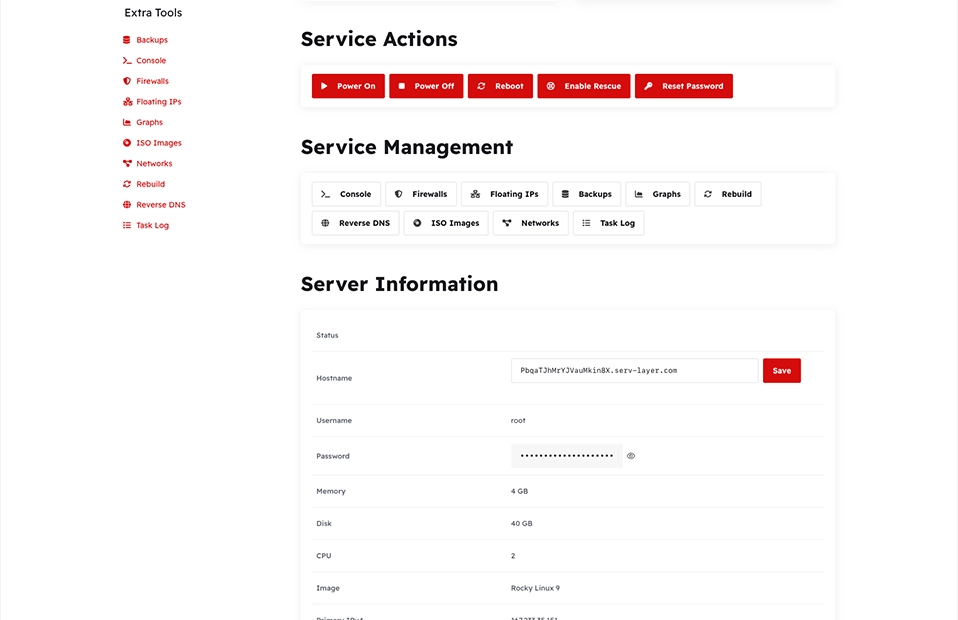
Power, root password, rescue, snapshots, SSH keys, firewalls, floating IPs, rebuild, reverse DNS, ISO mount, and private networks. Actions post with confirmation, and only while the WHMCS service is Active.
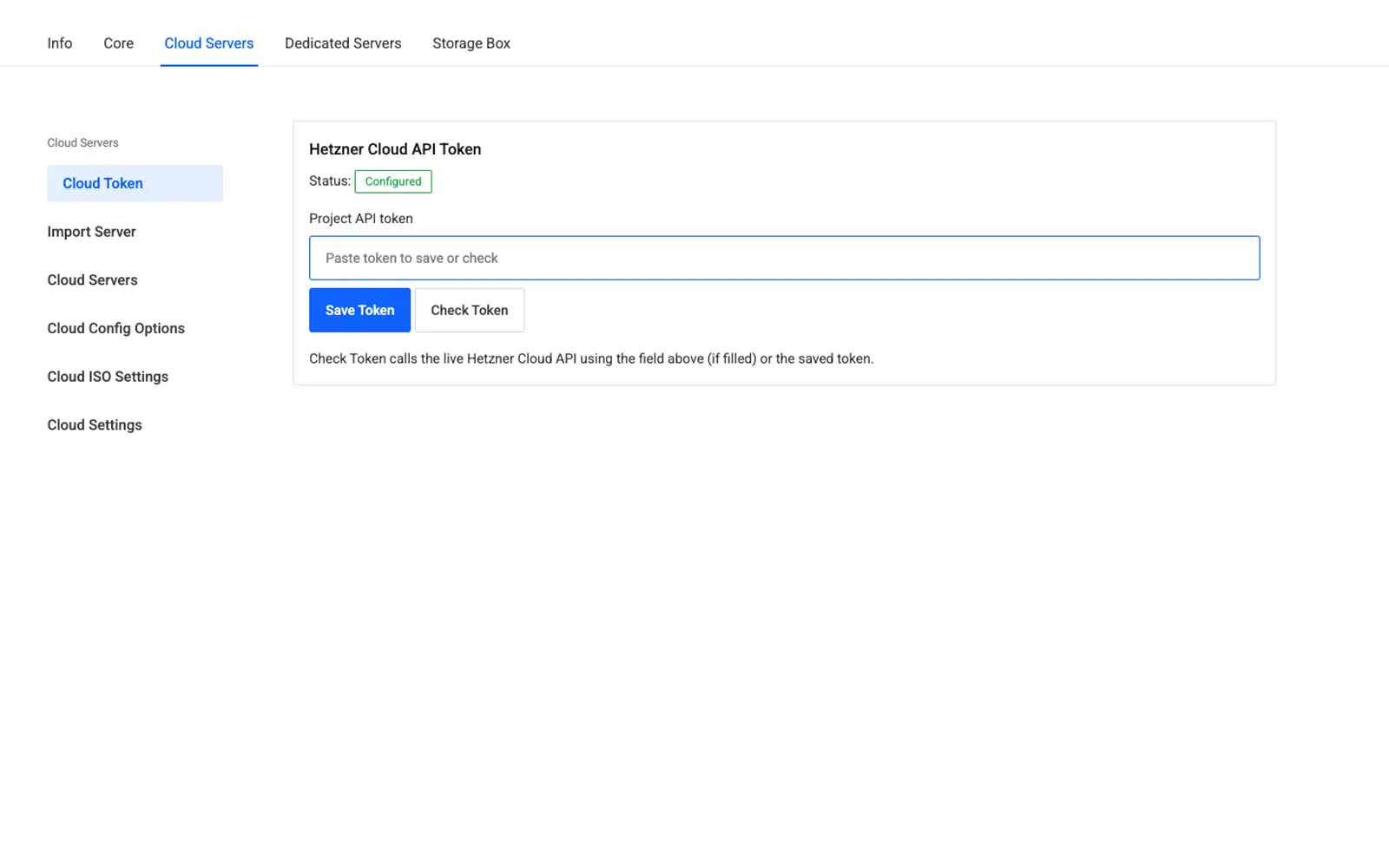
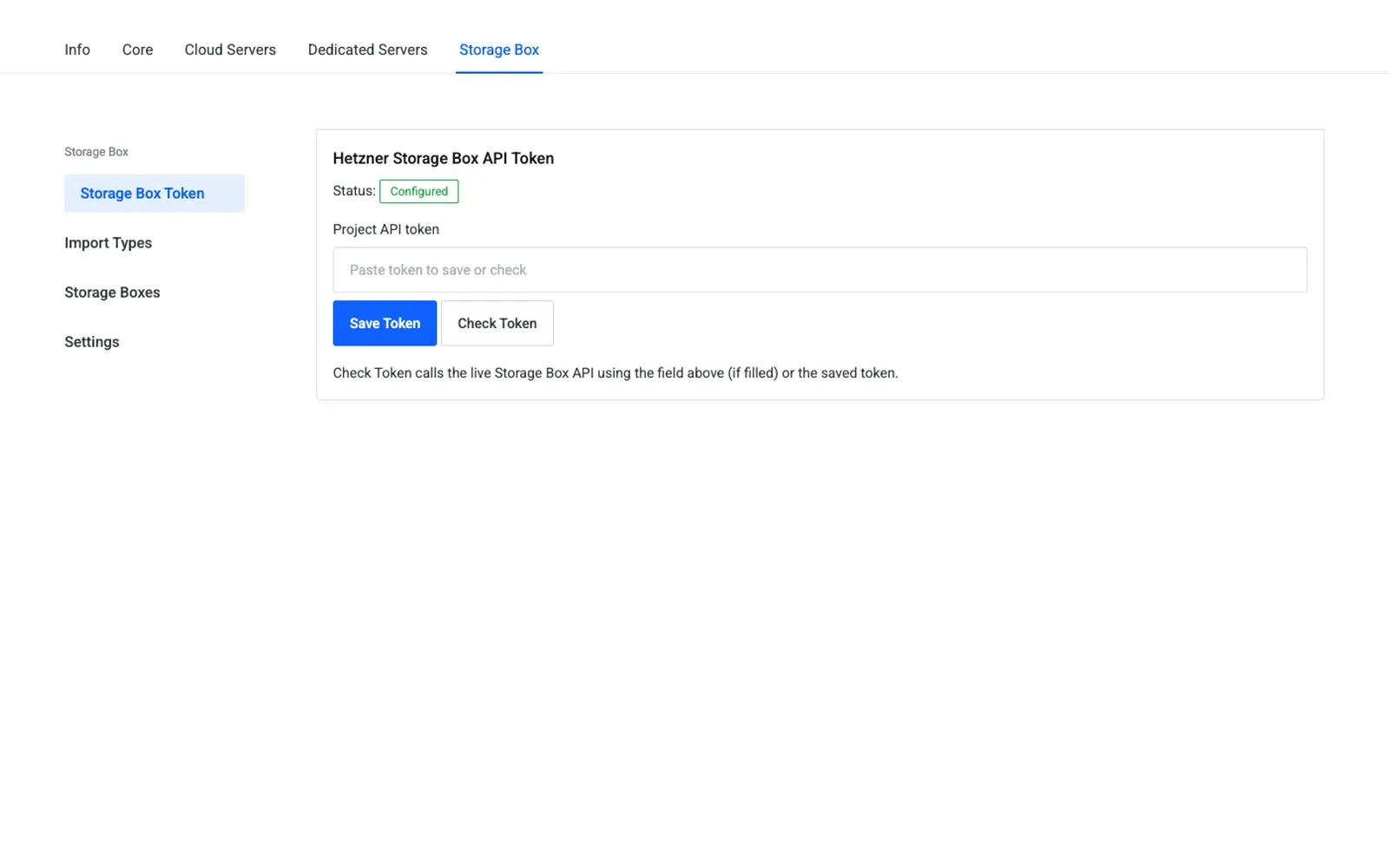
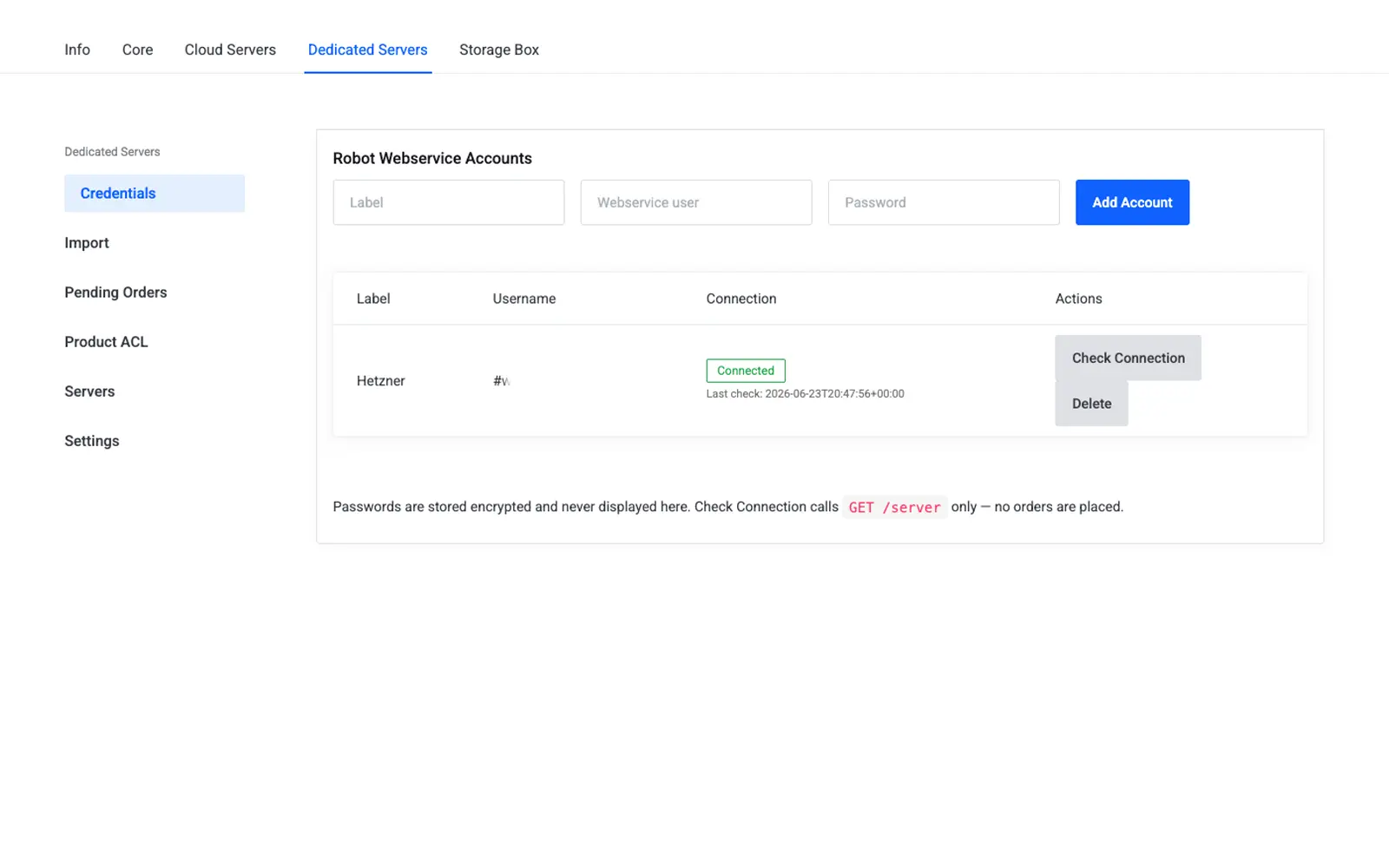
Cloud API, Storage Box API, and Robot Webservice each keep their own credentials. Enable any combination. None of the families depends on the others being active.
Create, suspend, unsuspend, terminate, and package change stay on the WHMCS server-module path. The core addon does the Hetzner work behind that lifecycle.
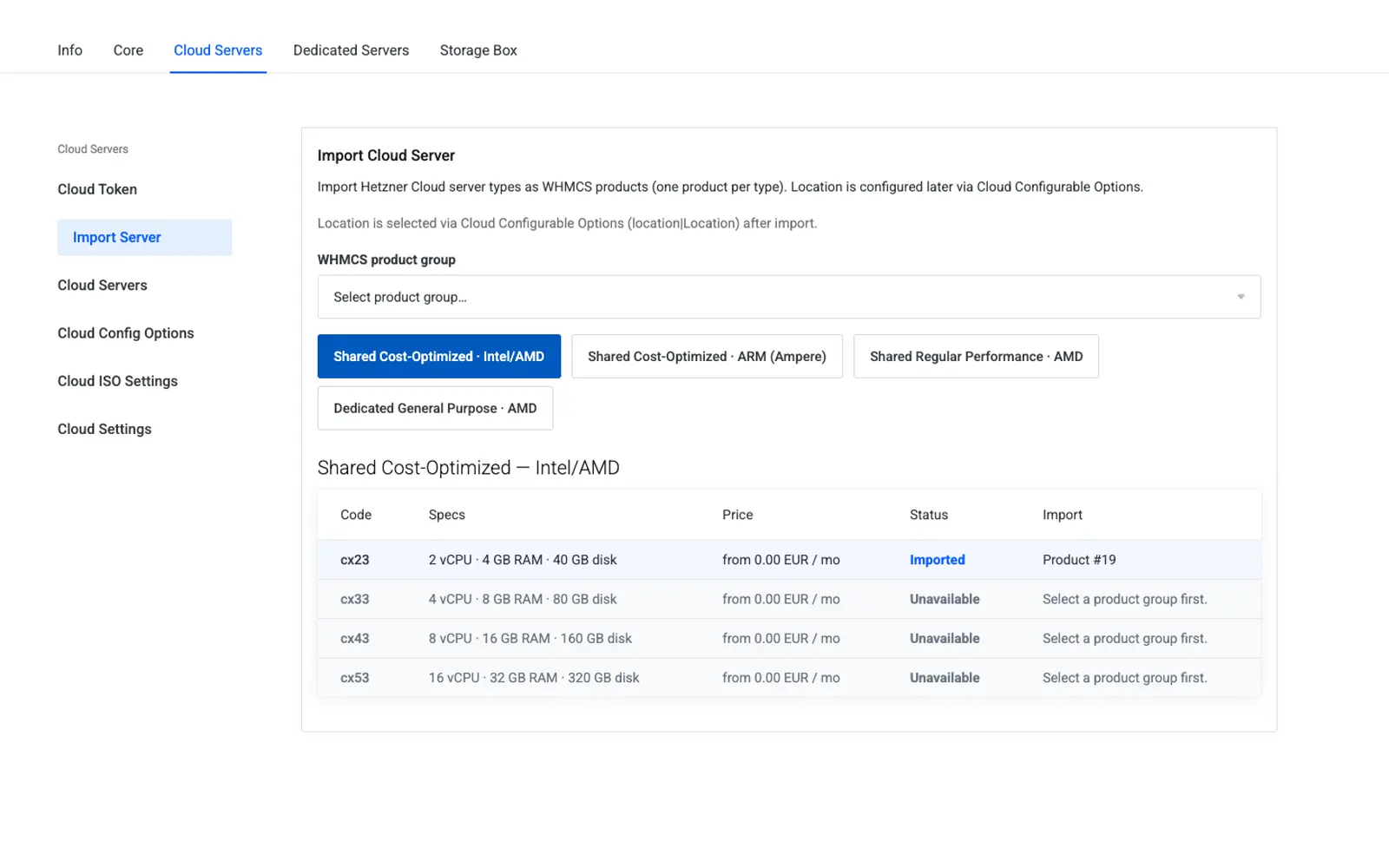
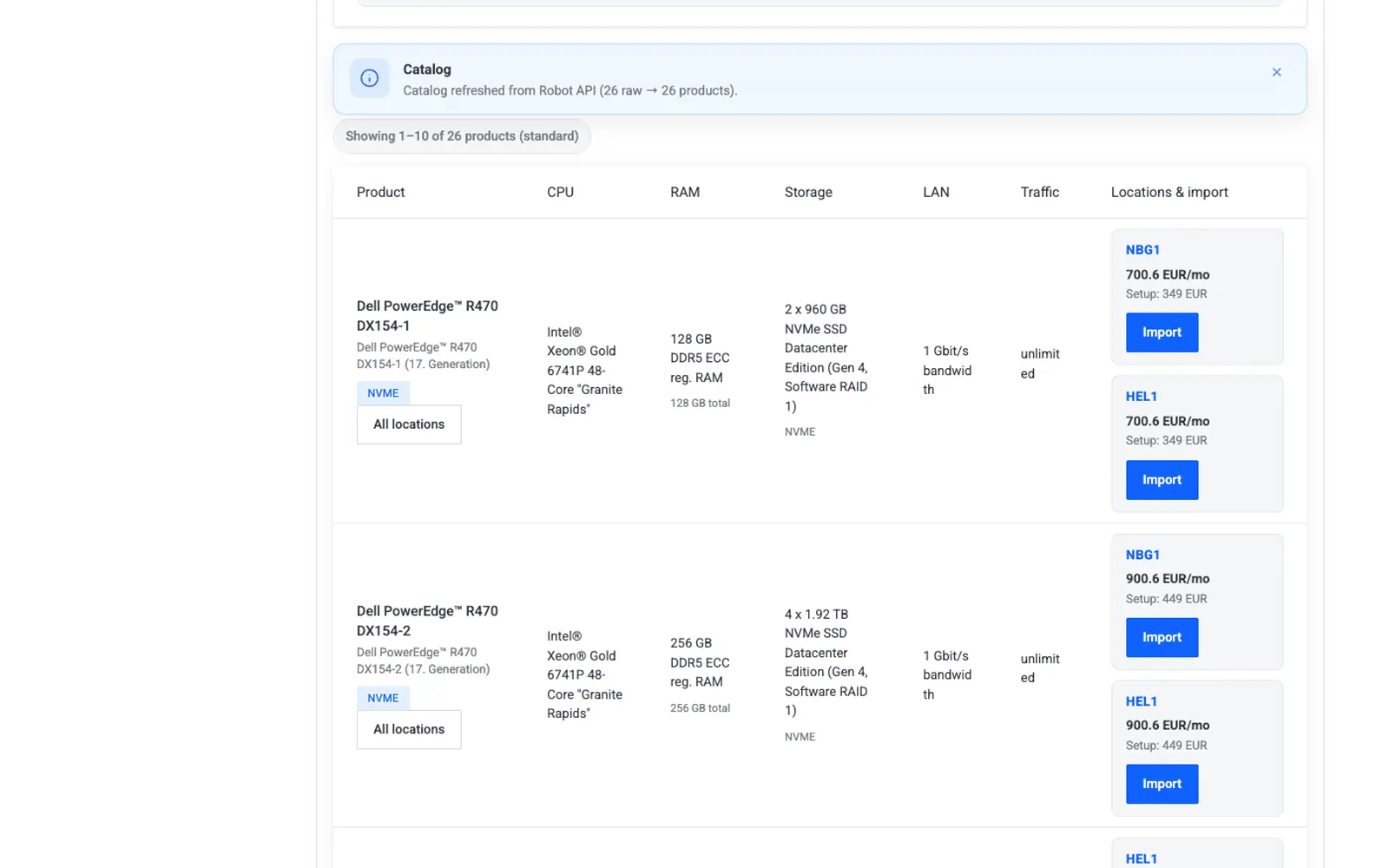
Bring in Cloud server types, Storage Box plans, and Dedicated standard or auction machines, then link them to a client service with markup you control.
Power, firewall, floating IPs, snapshots, subaccounts, rescue, and traffic sit on Lagom design tokens, including dark mode, instead of a separate panel.
Screens from the current Hetzner Suite: the Cloud client area, Dedicated Robot controls, Storage Box subaccounts, and the admin suite that imports catalogs and schedules cron.
The service page is the customer’s home for a Cloud server: status, access, and the actions that matter after the invoice is paid.
Networking stays inside the service, so support does not hand customers a second login to the Hetzner console.
Rebuilds, ISO images, backups, and reverse DNS are part of the same client area, with confirmation before destructive steps.
Robot bare metal gets its own client surface: hardware actions, boot and rescue, firewall, and network, including a dark layout.
A Storage Box is a product your customers can reset, snapshot, and split into subaccounts from the service page.
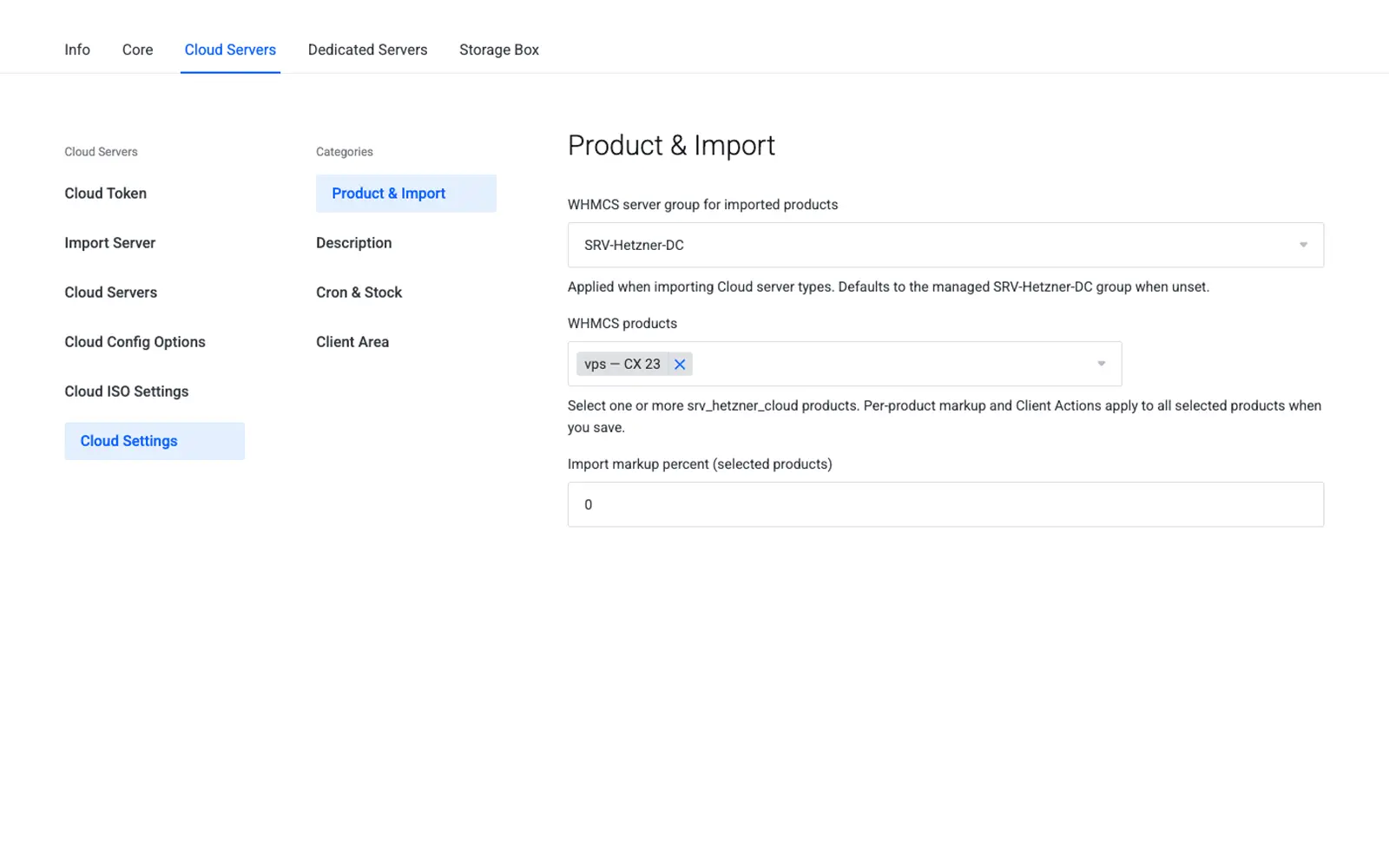
The core dashboard, cron board, and import tools are where the operator connects tokens, pulls catalogs, and sees whether jobs are healthy.
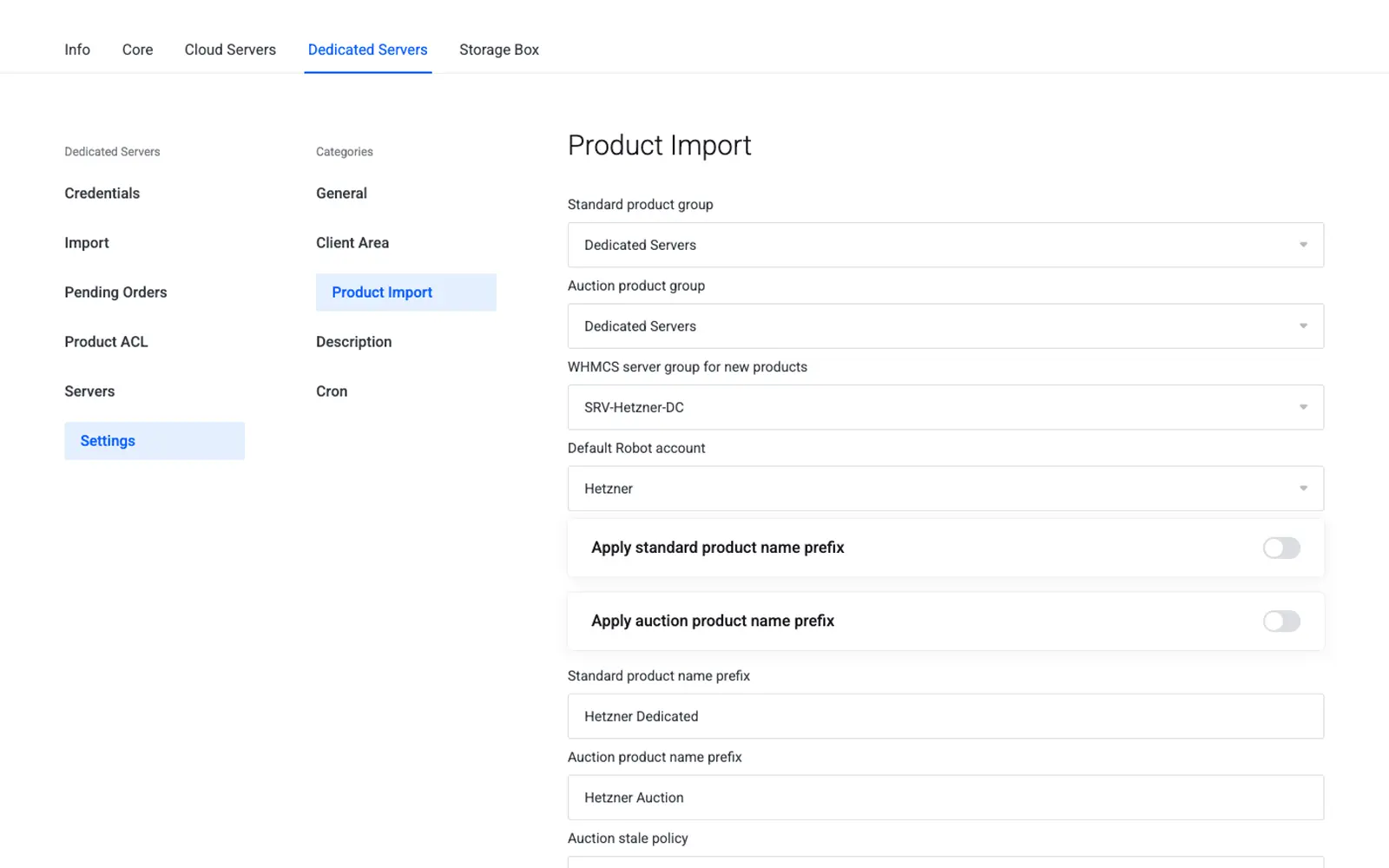
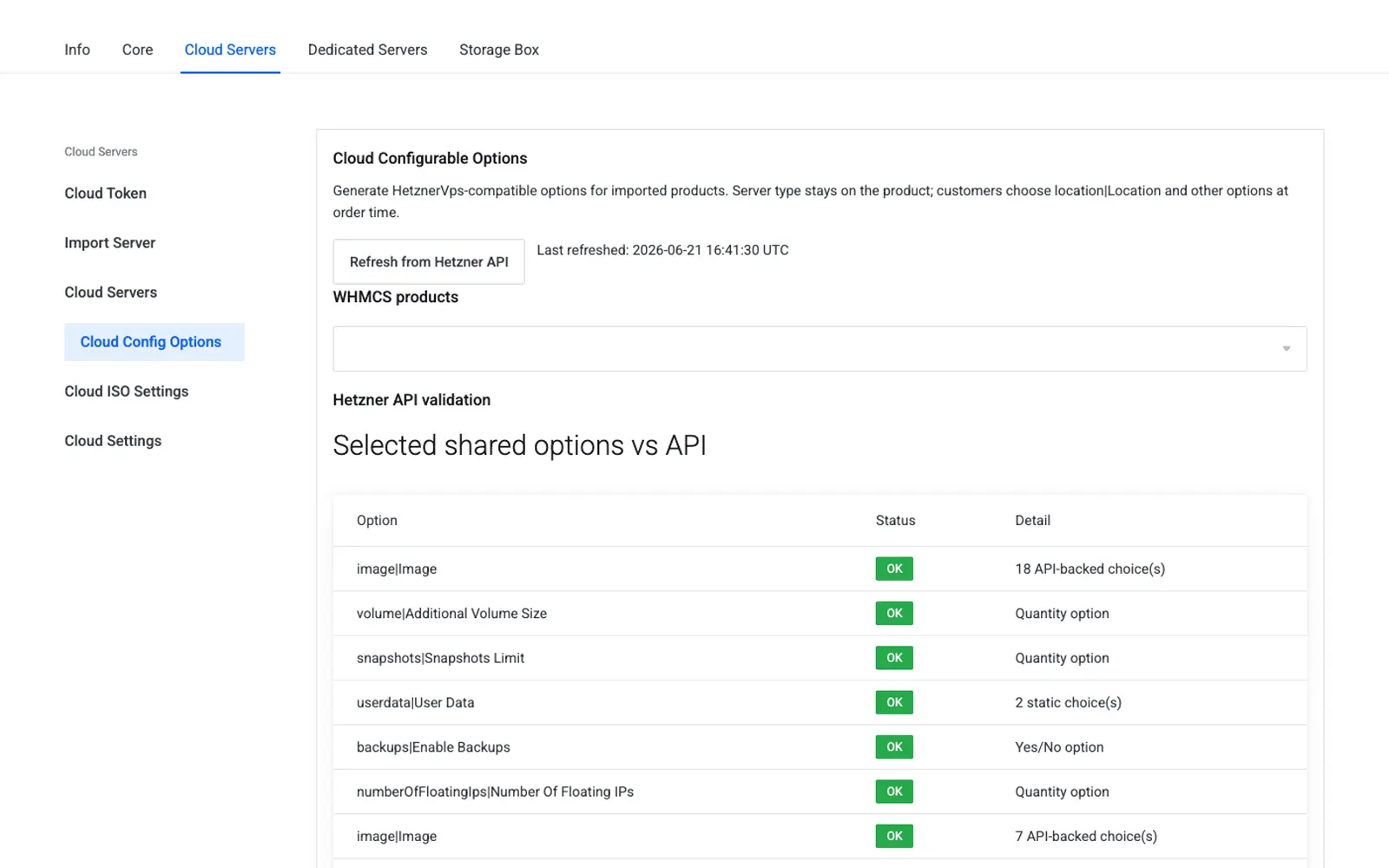
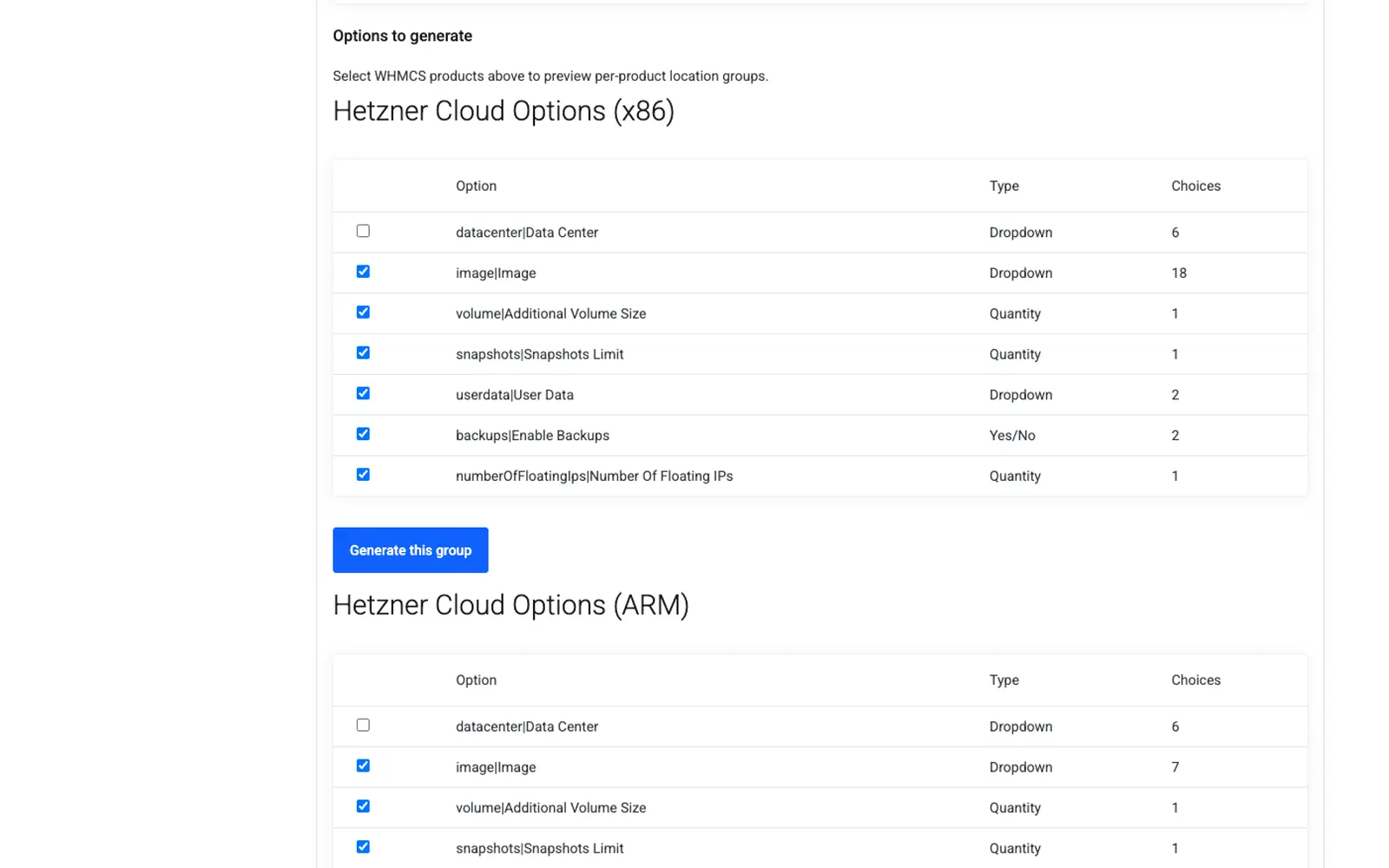
Pull Hetzner Cloud server types and the Dedicated standard or auction catalog into WHMCS products. Set a setup fee in EUR before a Dedicated import, and generate titles from placeholders such as CPU model and location. Built-in presets turn FSN1, NBG1, and HEL1 into labels like Germany and Finland.
The Cloud API token, the Storage Box token, and Robot webservice users live in the core addon. Server modules stay thin: they implement create, suspend, unsuspend, terminate, and client actions, and they call the core for the Hetzner work. Credentials are encrypted and are not written into debug output.
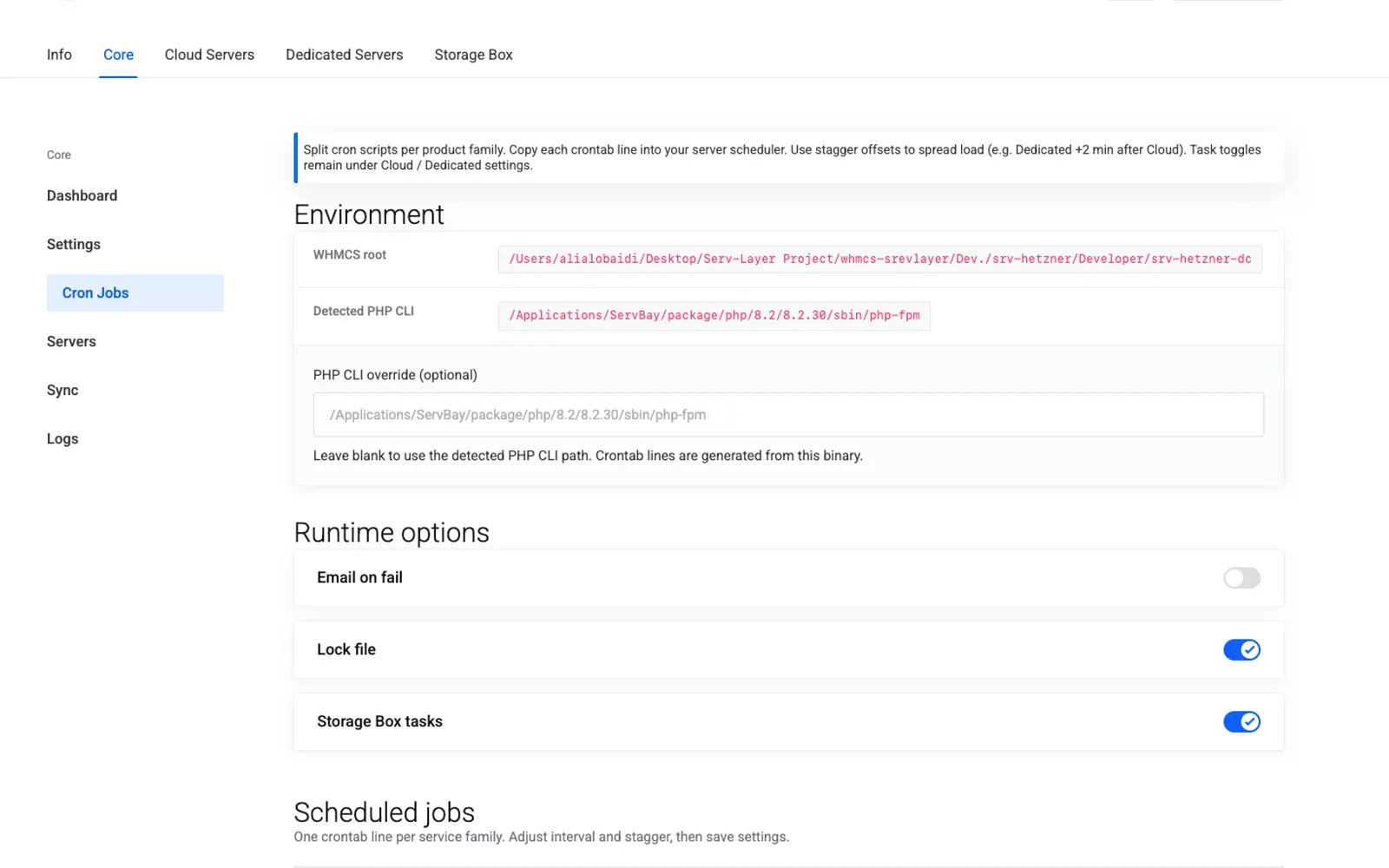
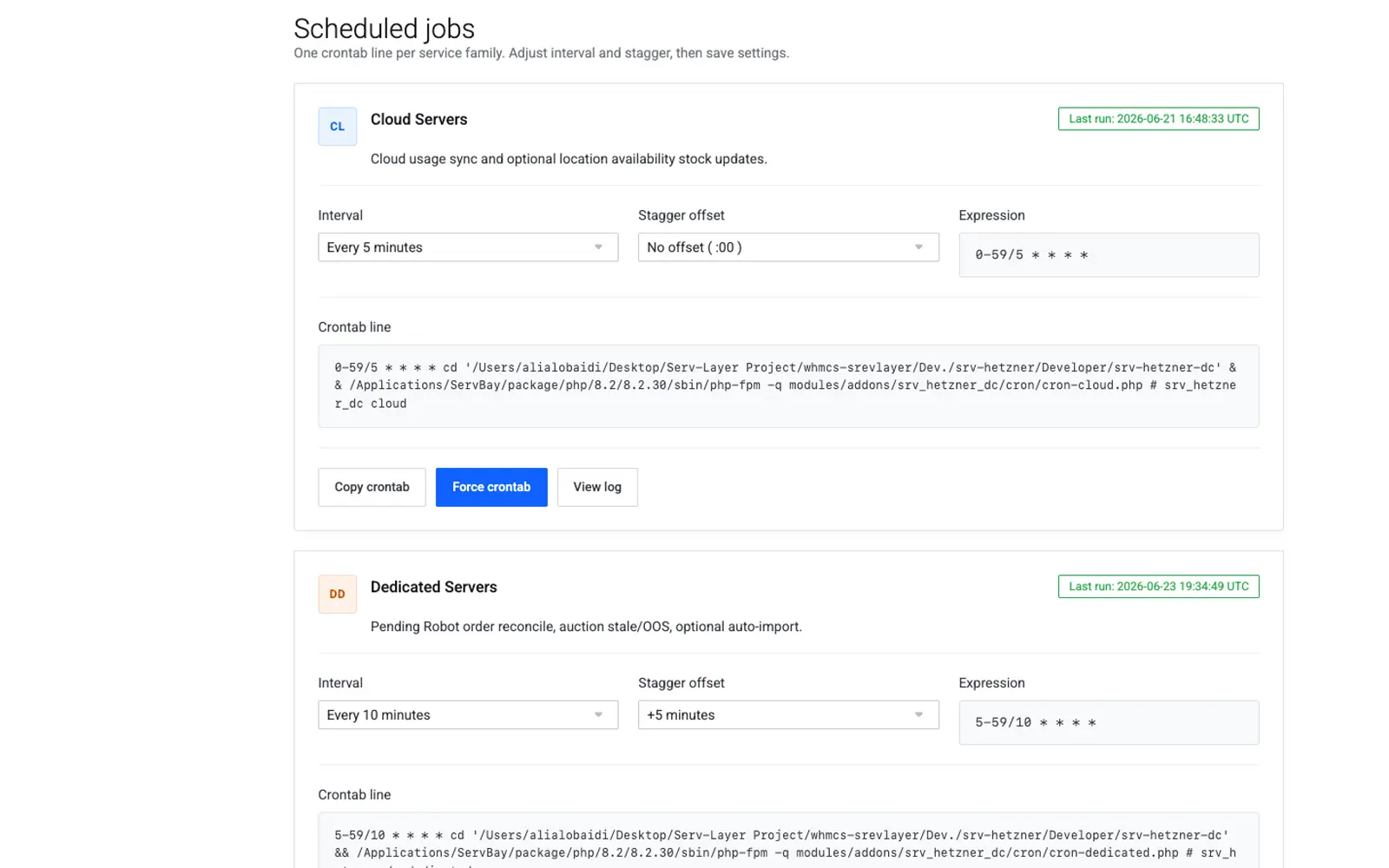
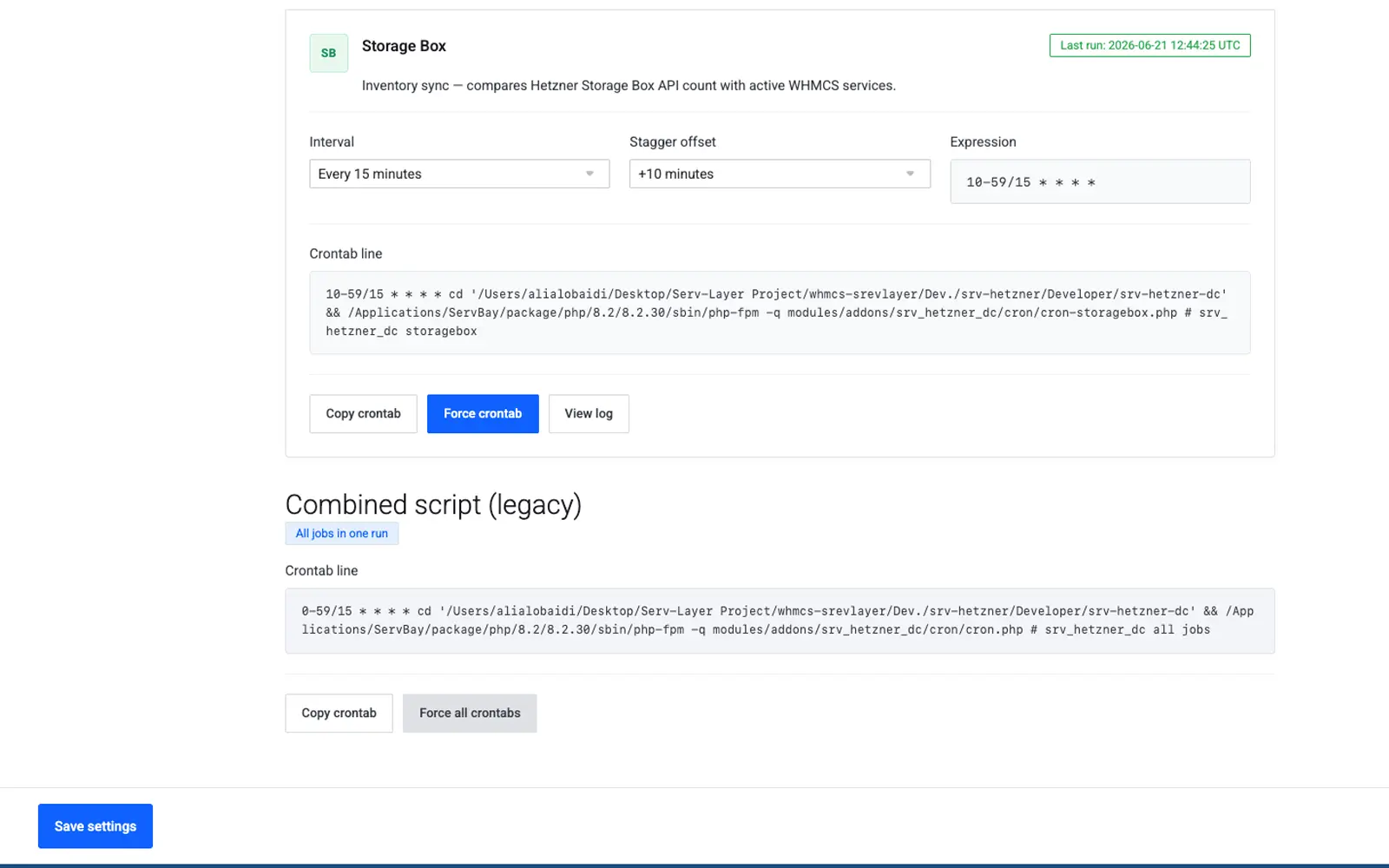
The Cron Jobs screen suggests lines a panel can paste: absolute php -q /path/to/script with */N or comma minute lists. Relative cd && php paths and ranges such as 5-59/10 are not suggested. Manual run and a log viewer sit next to the per-family schedule.
The WHMCS product carries the fixed recurring plan. Cloud can add a per-GB outbound overage once per billing month, with the included allowance read from Hetzner. If the overage price is zero, only the plan fee is billed. Shared configurable options cover volumes, snapshots, and floating IPs, with quantity limits and per-location surcharges.
Power, root password, rescue, snapshots, SSH keys, firewalls, floating IPs, rebuild, reverse DNS, ISO mount, and private networks. Actions post with confirmation, and only while the WHMCS service is Active.
Hardware reset, rescue mode, reverse DNS, and daily traffic. Suspend locks the client area and applies a Robot firewall deny-all, then restores the previous rules on unsuspend. Sync Details refreshes IP, hostname, and traffic.
Reset the password, lock the box, manage snapshots, and enable or disable subaccounts. Unlock stays an admin action. A suspended or terminated service shows a read-only view.
From Dedicated servers, assign an existing Robot machine to a WHMCS client. The suite creates a hidden zero-stock product and an Active service, after checking the server number against the selected Robot account.
Dedicated orders that are still waiting on Robot remain in a pending queue, so support can see what has not become a live server instead of guessing from email.
English, Arabic, and German packs cover the admin suite and the client area. Dedicated and Cloud screens follow Lagom dark tokens, and product descriptions can use location flags and title templates.
Hetzner families in one addon: Cloud, Storage Box, and Dedicated.
WHMCS modules: the core addon plus three thin server modules.
Client home: the WHMCS service page, not a second portal.
Languages shipped for admin and client area: English, Arabic, and German.
Lagom management for Hetzner Cloud, Dedicated, and Storage Box on the service page. Each action follows the product toggles, asks for confirmation, and runs only when the resource belongs to the active service.
Start, stop, and reboot from the service page after an ownership check.
Issue a new root password through the Hetzner API.
Enable or disable rescue and show the rescue password.
Create, delete, and restore snapshots that belong to this service.
Manage the project SSH keys from the service page.
CPU, disk, and network graphs for the last 24 hours.
Open noVNC with a one-time password when SSH is not enough.
Inbound and outbound rules, then attach or detach the firewall.
Assign or unassign floating IPs. PTR stays on Reverse DNS.
Rebuild from an architecture-aware image, including Gen2 types.
Mount a public or custom ISO from the admin whitelist.
Attach or detach private networks without leaving WHMCS.
PTR records for the server primary IP.
Recent Hetzner API operations on this server.
Review and manage automated backups on the same page.
Edit the hostname inline and read the traffic meter.
Hardware-level reset when a software reboot is not enough.
Software-level restart that keeps the Robot configuration.
Boot Rescue Linux and show the rescue password.
Reset the dedicated server root password.
PTR for the primary IP.
Automated Linux install with VNC access.
Send a wake packet to a powered-off server.
Robot firewall rules and ordered addons.
Traffic graphs and usage.
Show the Storage Box linked to this dedicated server.
Boot order and boot options.
Network configuration and reverse DNS.
Reset the SFTP and WebDAV password.
Lock customer access. Unlock stays an admin action.
Create and restore Storage Box snapshots.
Manage subaccounts and quotas without sharing the primary password.
Usage, quota, and server info on one screen.
The core addon holds credentials, inventory, cron, and client transfer. Family provisioning stays off until it is active.
From the API token to rebuild: import, options, images, and per-product client actions.
Standard and Auction catalogs, pending orders, product ACL, then hardware actions in the client area.
A separate token, box types, and the Falkenstein, Nuremberg, and Helsinki locations.
The WHMCS monthly or annual price is the plan fee. Cloud traffic overage is added once per month as its own invoice line.
Every client-area change posts a WHMCS token, asks for confirmation, and checks that the snapshot, image, or server belongs to the service.
The displayed price is the WHMCS product you attach here, on its best billing cycle. Cloud overage, configurable-option surcharges, and Dedicated setup fees stay in the product settings, separate from this plan fee.