



Clusters & nodes
Register cluster API connections, watch nodes/storages/bridges, and build distribution policies that define where a new guest lands before the first paid order.
An activated order becomes an async provision job drained by Cron, so the guest is created from the product plan and placement policy — without repeating manual clicks in the Proxmox UI.
Connect multiple clusters, watch nodes, and steer each new guest with a distribution policy that picks the right cluster, storage, bridge, and IP pools for production.
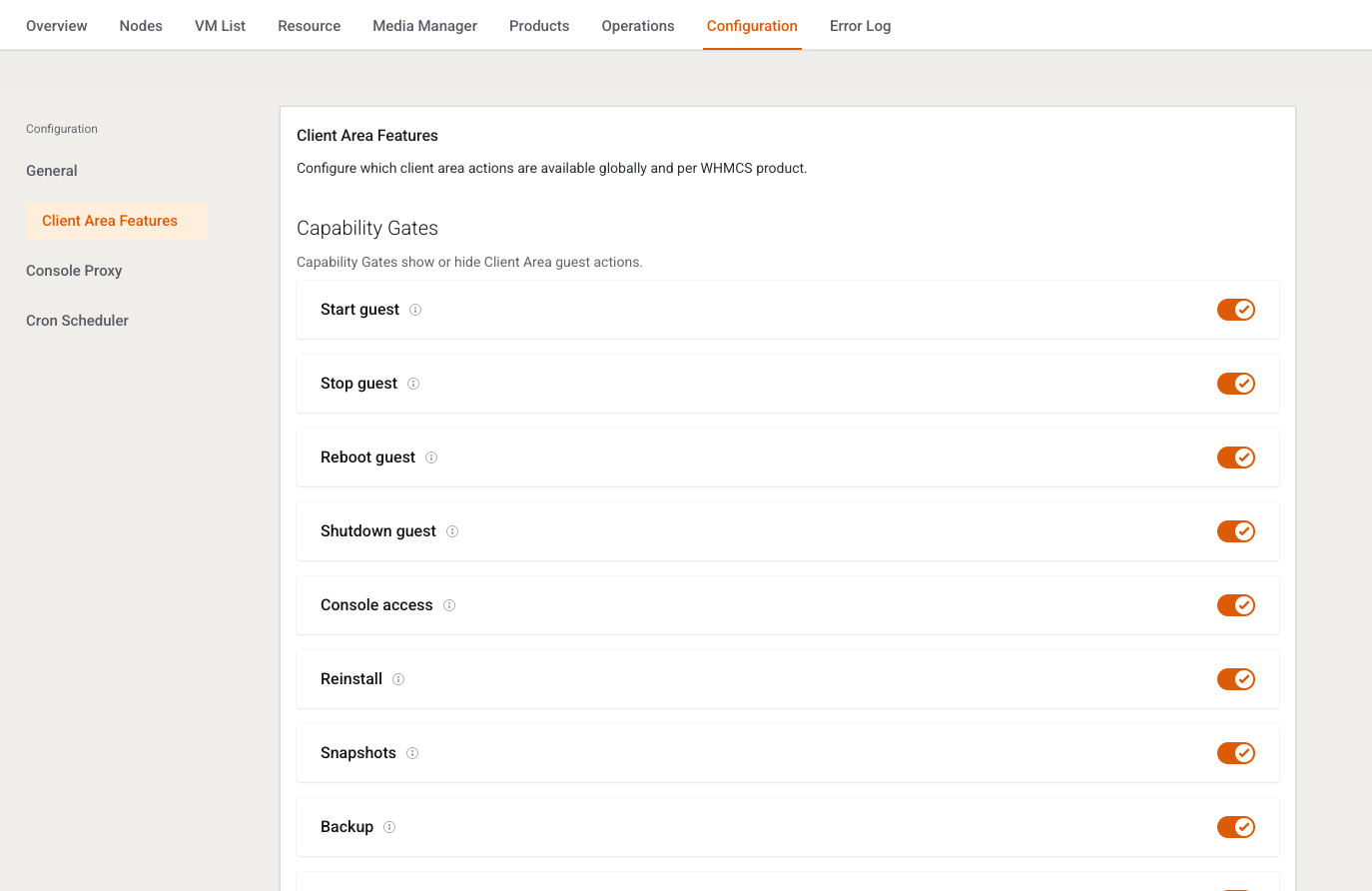
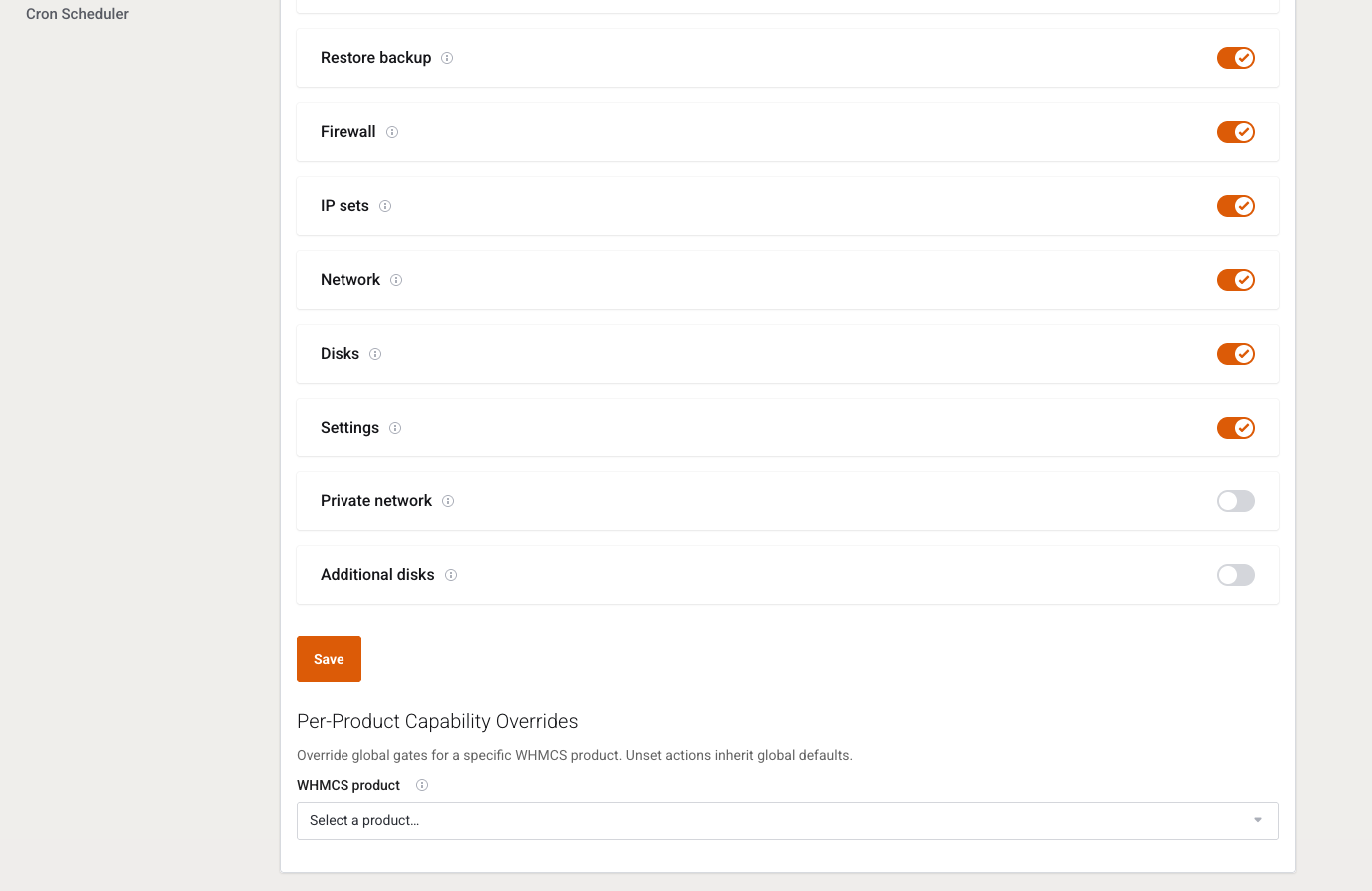
Apply capability gates on two layers: a global ceiling in settings, then a tighter mask per product package — so clients only see what support can safely own.
Built to sell VPS and Cloud on Proxmox VE: VM plans, configurable options, organized media, and a task history support can read before retrying a failed job.
Real screens from the Proxmox Suite consoles: overview, guests, clusters, plans, networks, and jobs — so buyers see daily operations before they decide.
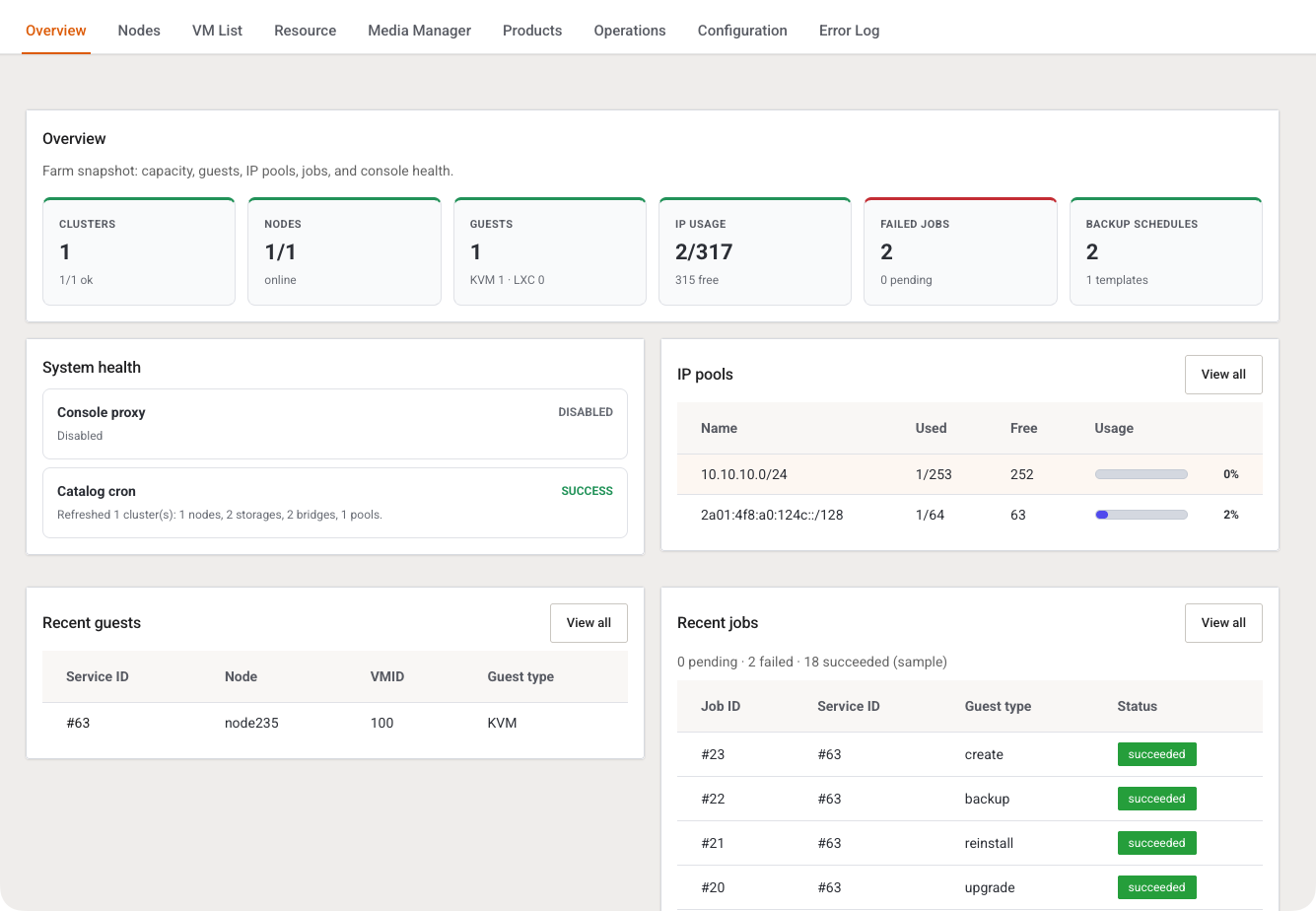
The operator’s morning board: cluster and node health, IP-pool pressure, and whether jobs are failing. Spot “out of IPv4” or a stuck provision before a paid order fails at create time.
Guests linked to WHMCS services: import, attach, detach, and follow state without losing billing context — plus cleaner tooling for orphaned or inconsistent guests.
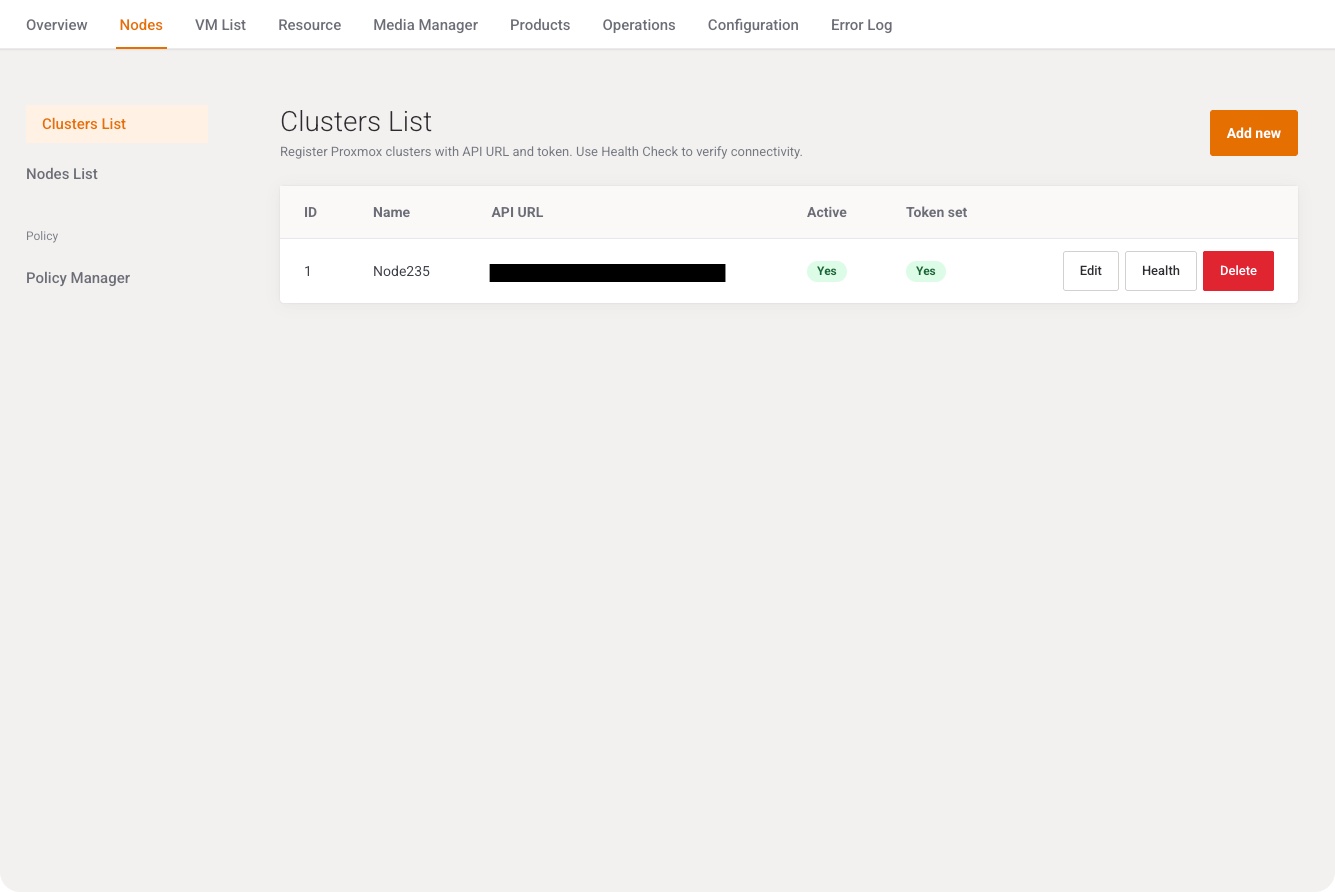
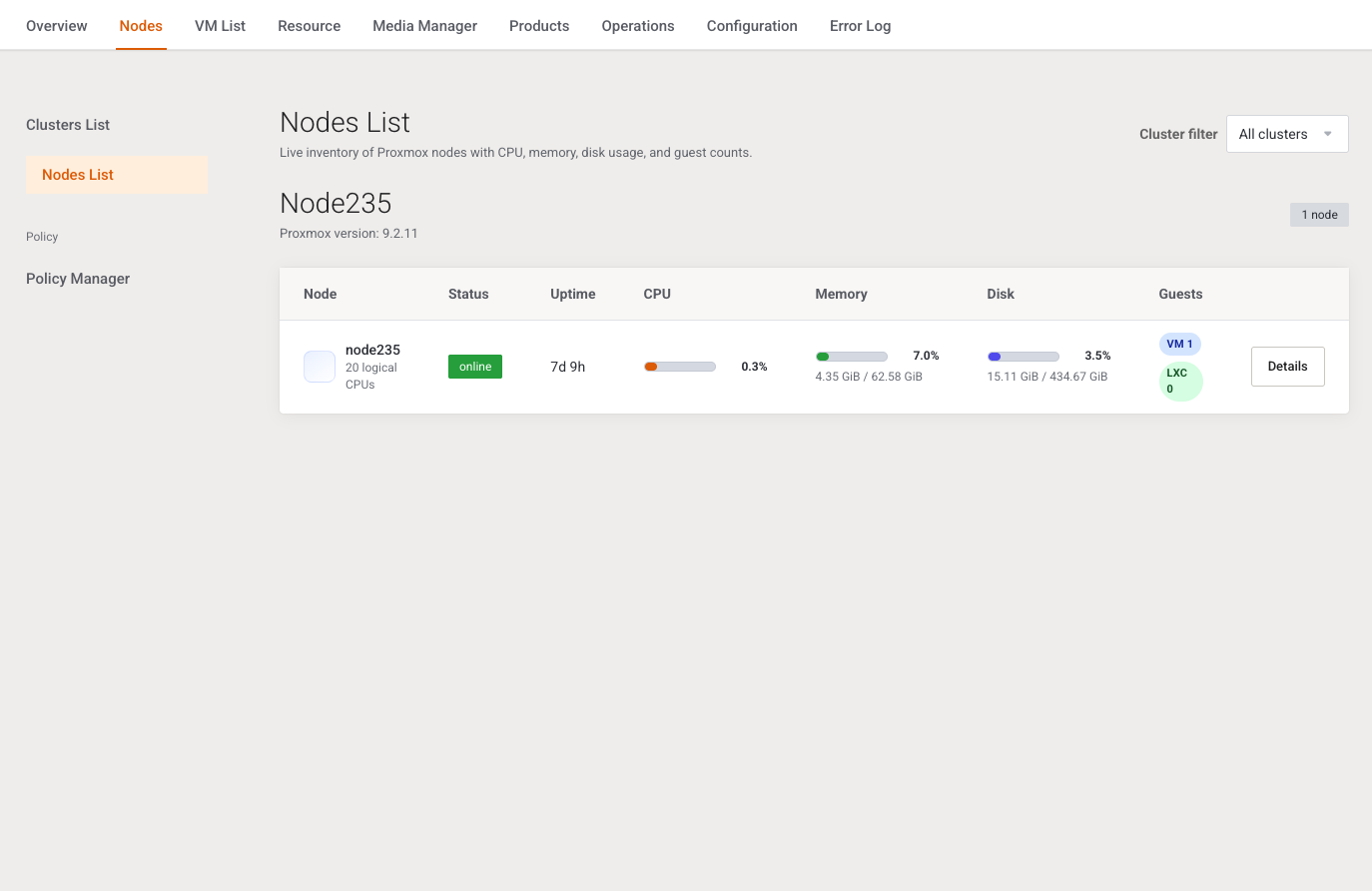
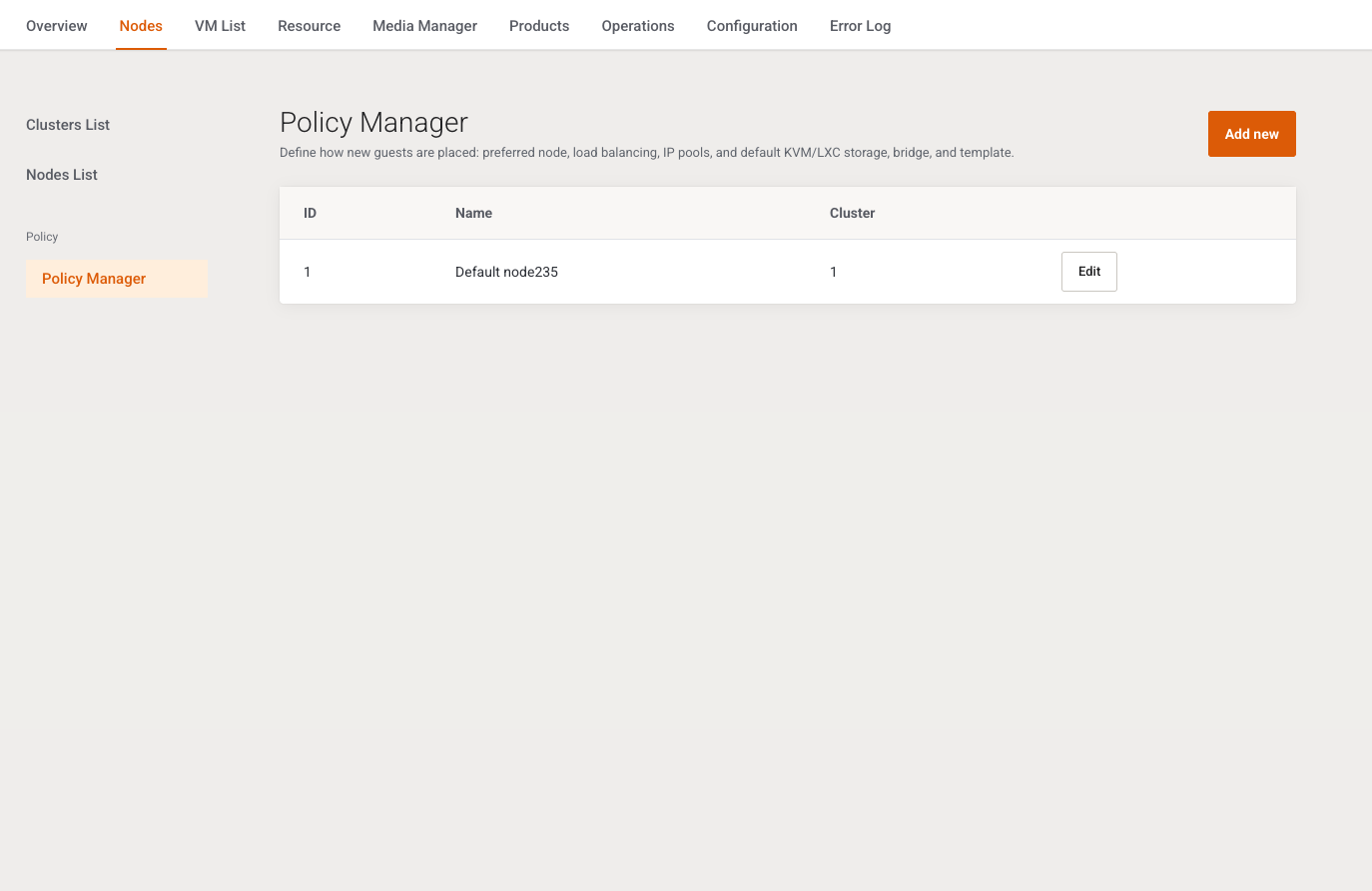
Cluster connections are the API endpoints the Suite trusts. Node inventory and the policy manager then decide where a new guest lands and which default resources it inherits.
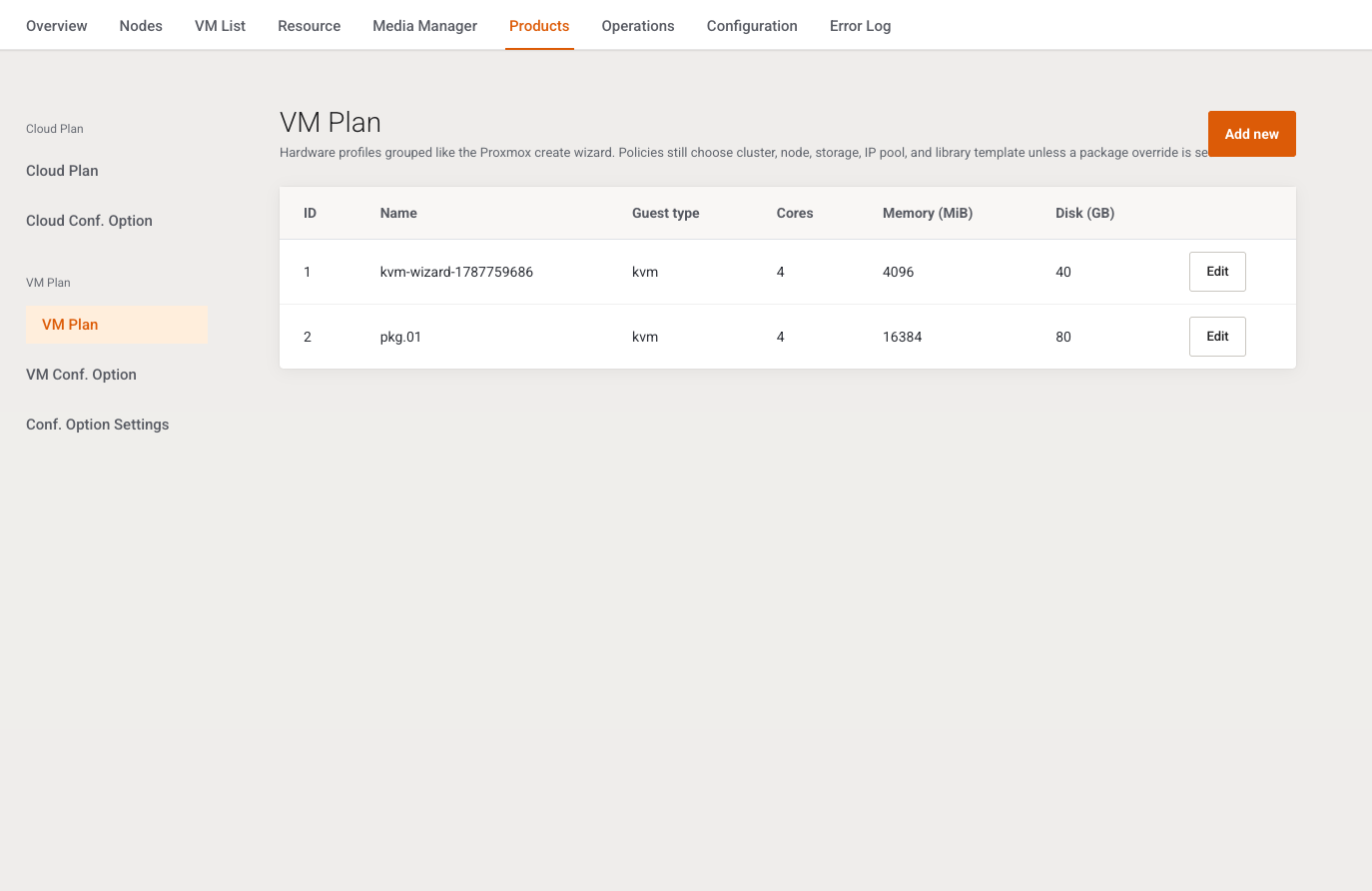
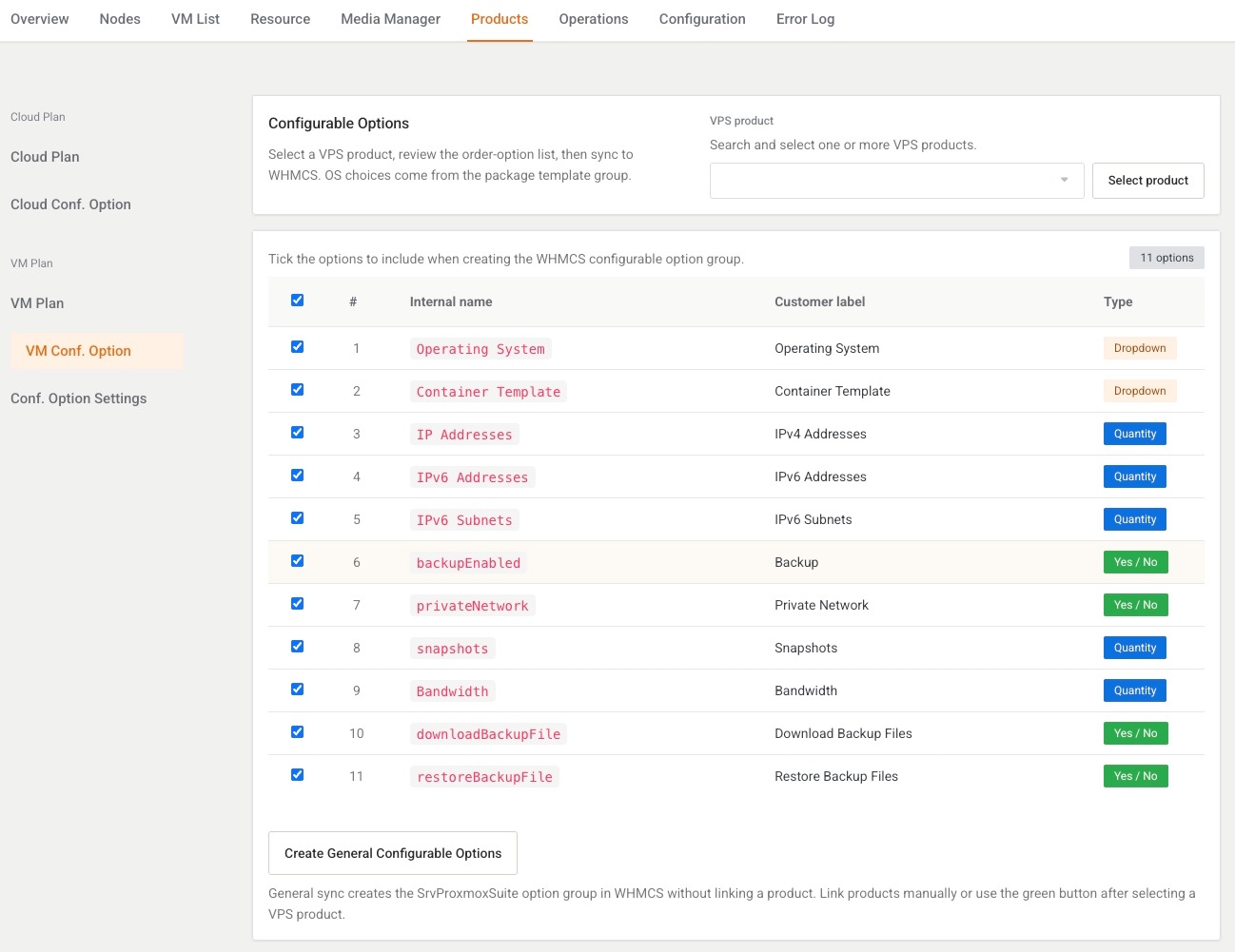
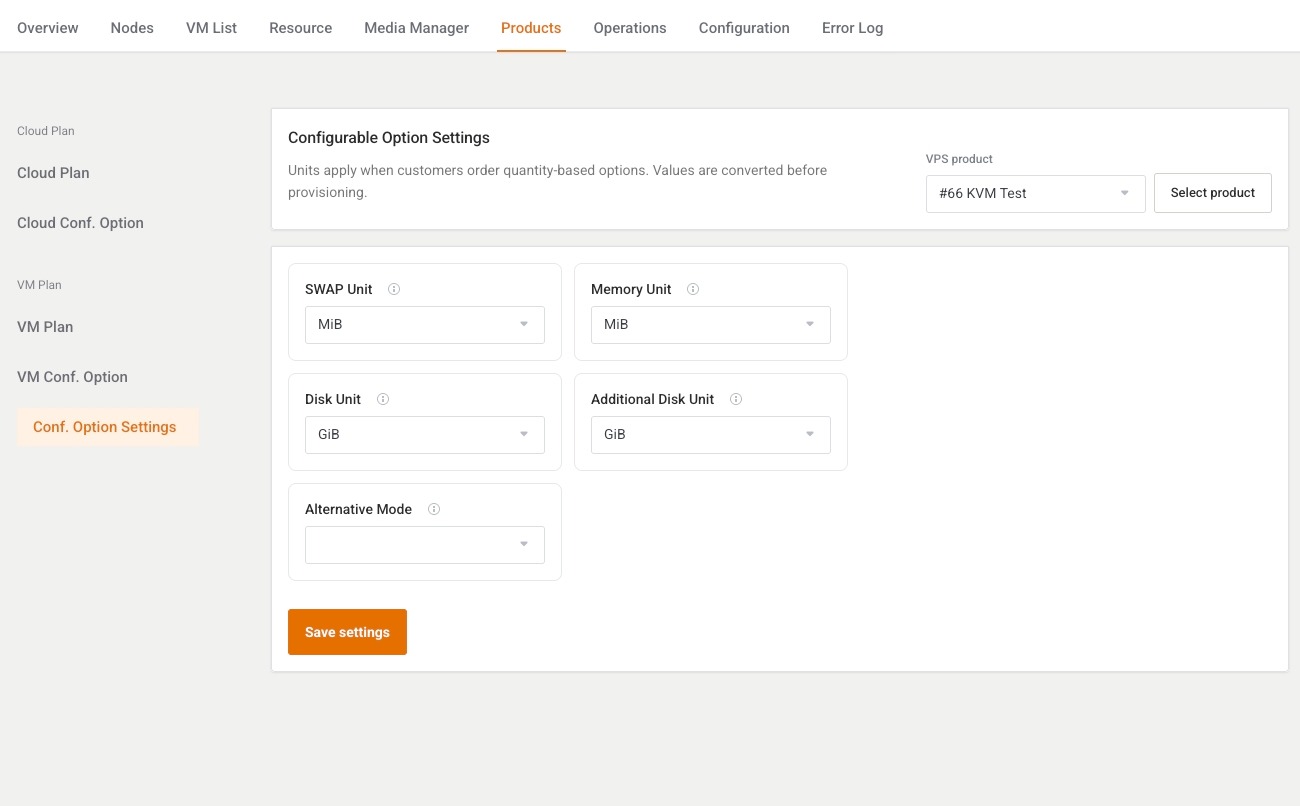
A VM Plan (or Cloud Plan) is what you sell: CPU, RAM, disk, OS media, network, firewall, and client gates. Map WHMCS configurable options so customers choose only what your commercial plan allows.
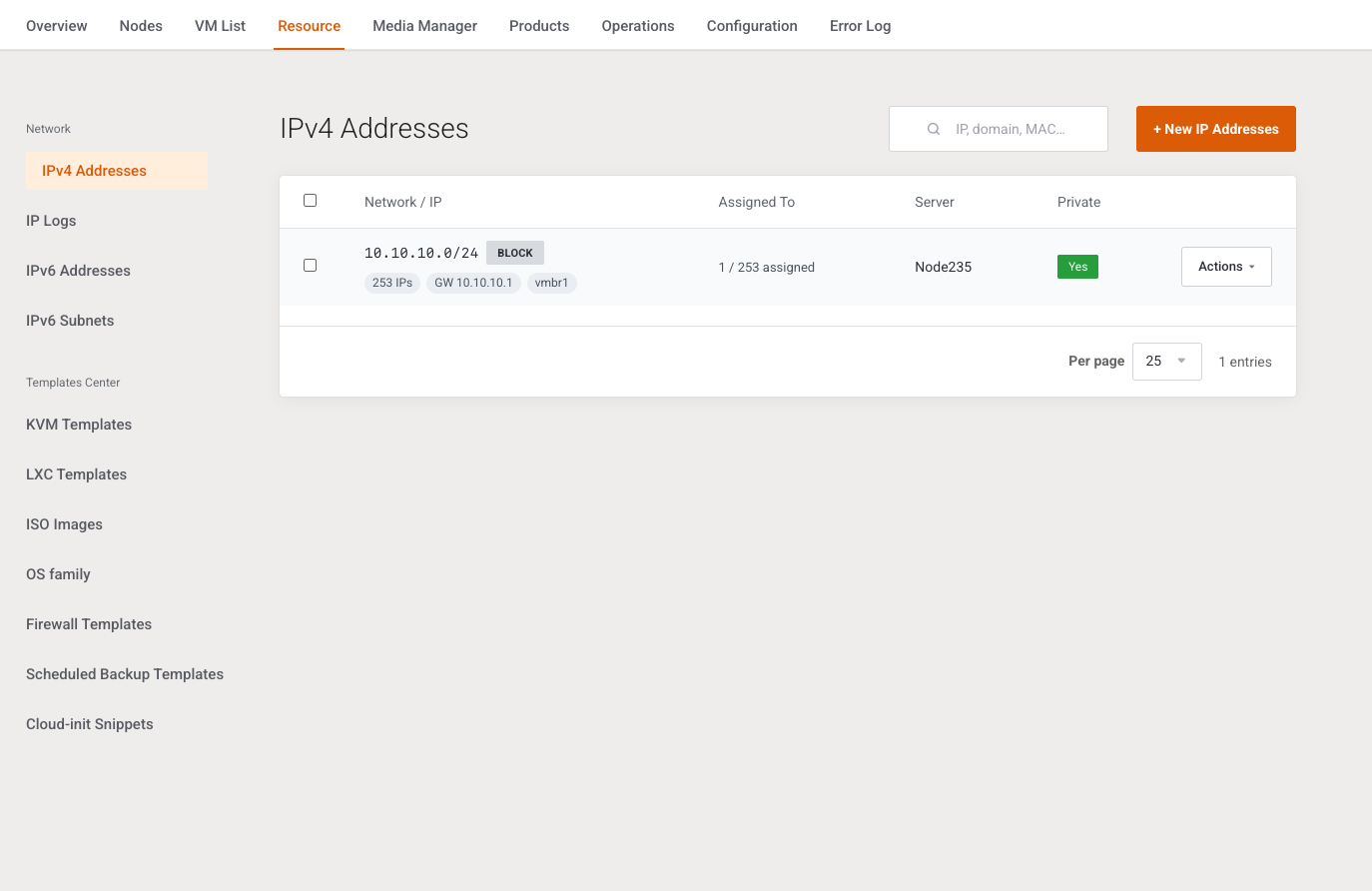
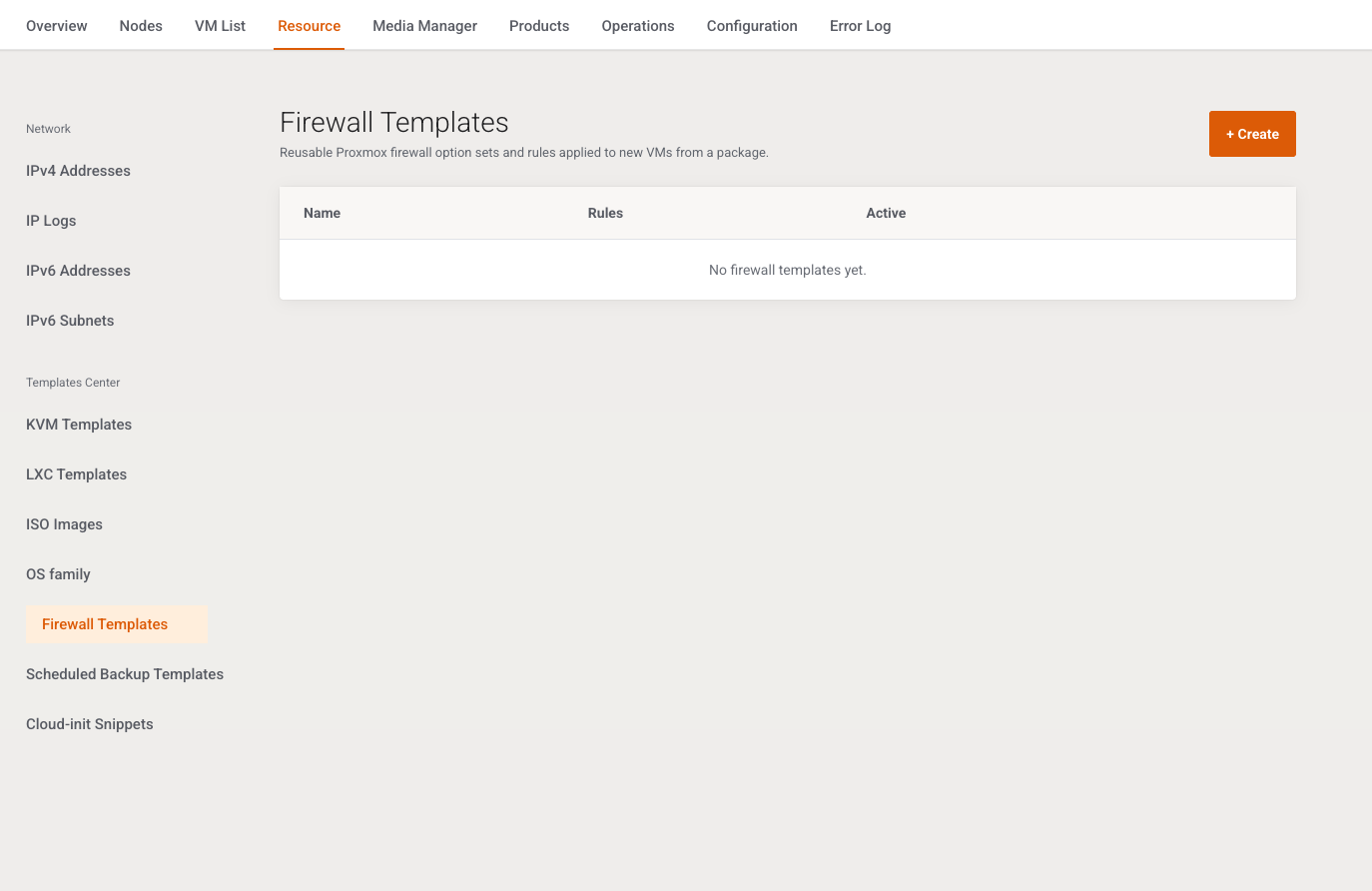
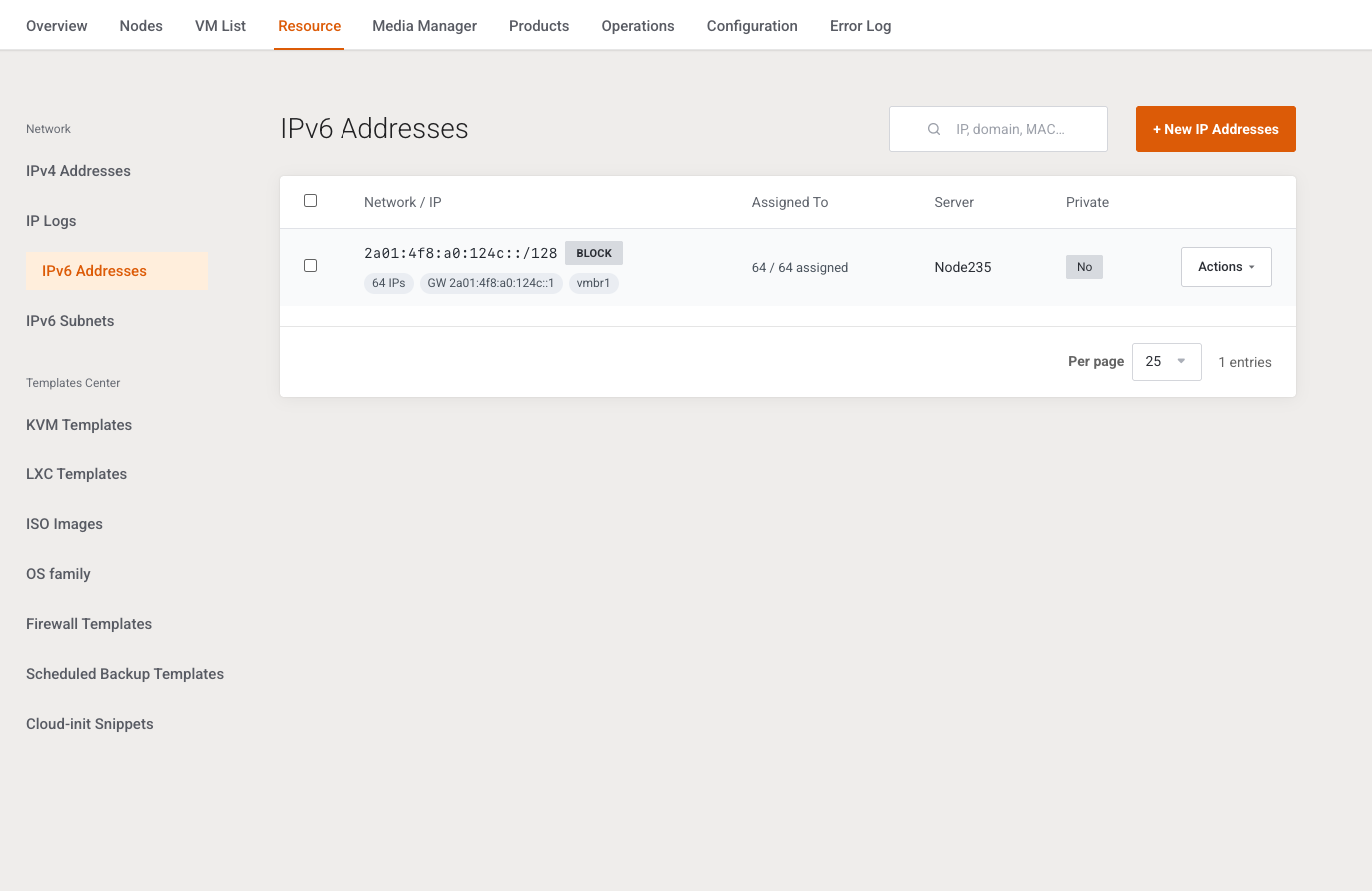
Define IPv4/IPv6 blocks, gateways, and cluster or pool binding, then apply firewall templates that match each product policy — before provisioning fails on an unavailable address.
Cron drains provision and catalog queues, while Task History gives you an ID, status, and readable error before you retry. General settings keep daily platform behavior consistent.
A package is the operational sales contract: guest type (KVM or LXC), VPS or Cloud mode, policy, and OS media. When an order activates, a provision job reads the plan and configurable options, then places the guest by your rules.
Start with a trusted cluster connection (host, port, API token), refresh the resource catalog, then build a distribution policy that answers: which cluster, which node rule, which IP pools, and which default storage/bridge.
IPv4/IPv6 pools are not just address lists — they must match real routing. Bind blocks to clusters, watch logs, and apply firewall templates per product before customers land on an unprotected network.
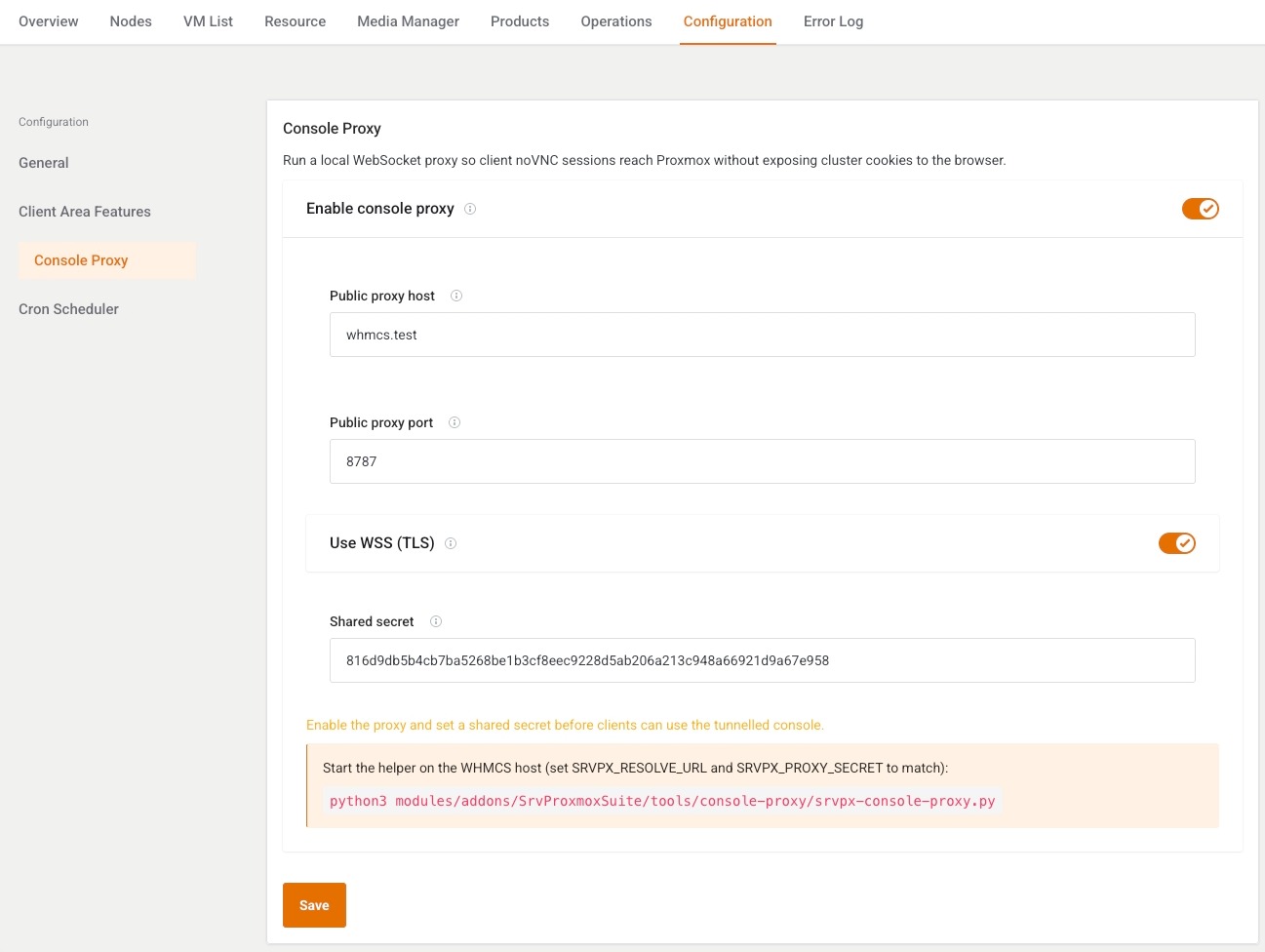
A capability gate means visible and allowed together. Start strict globally (basic power + console), then open graphs, reinstall, and backups when support can own them. The console proxy delivers noVNC/xterm without exposing cluster cookies to the browser.
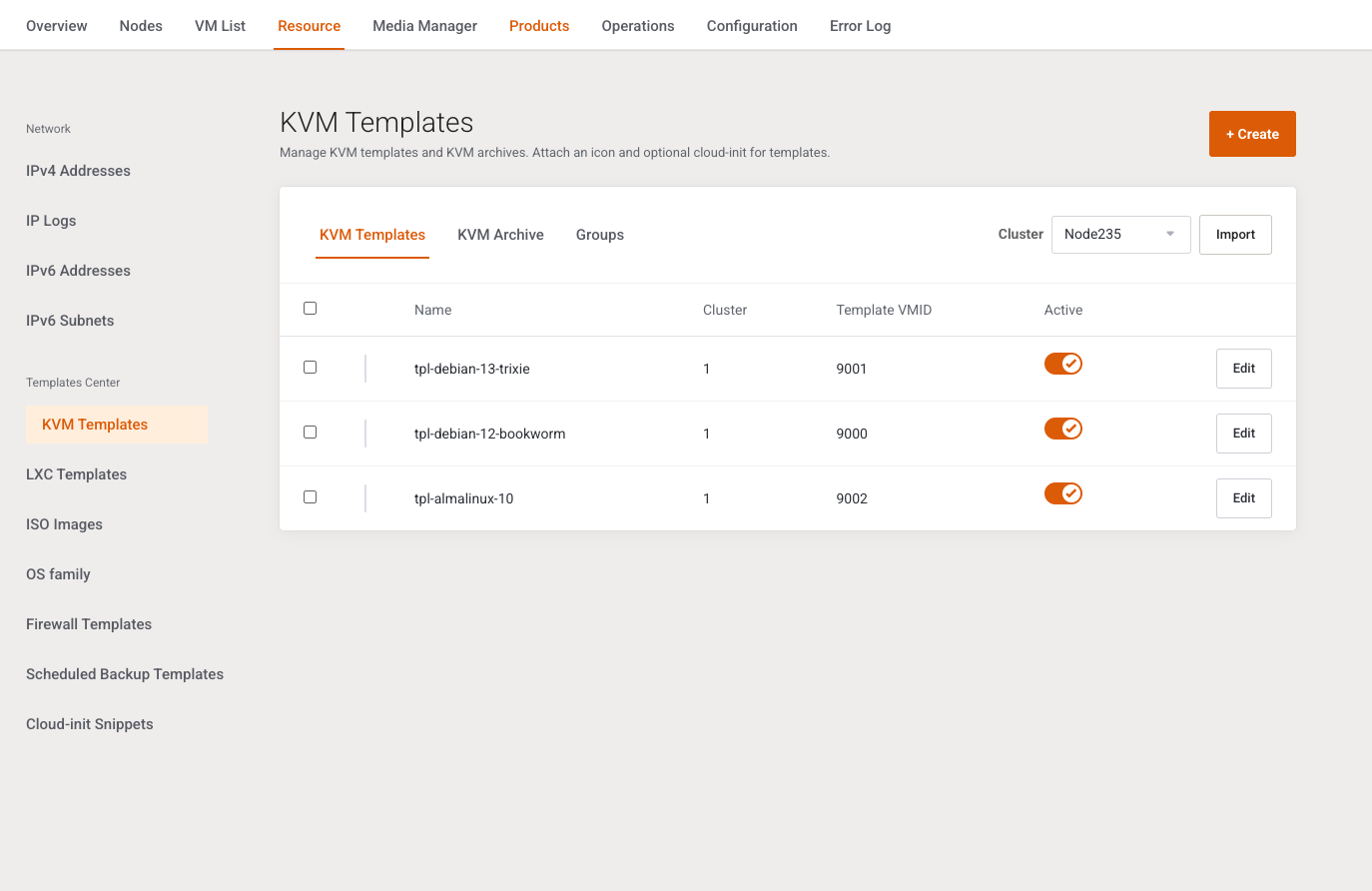
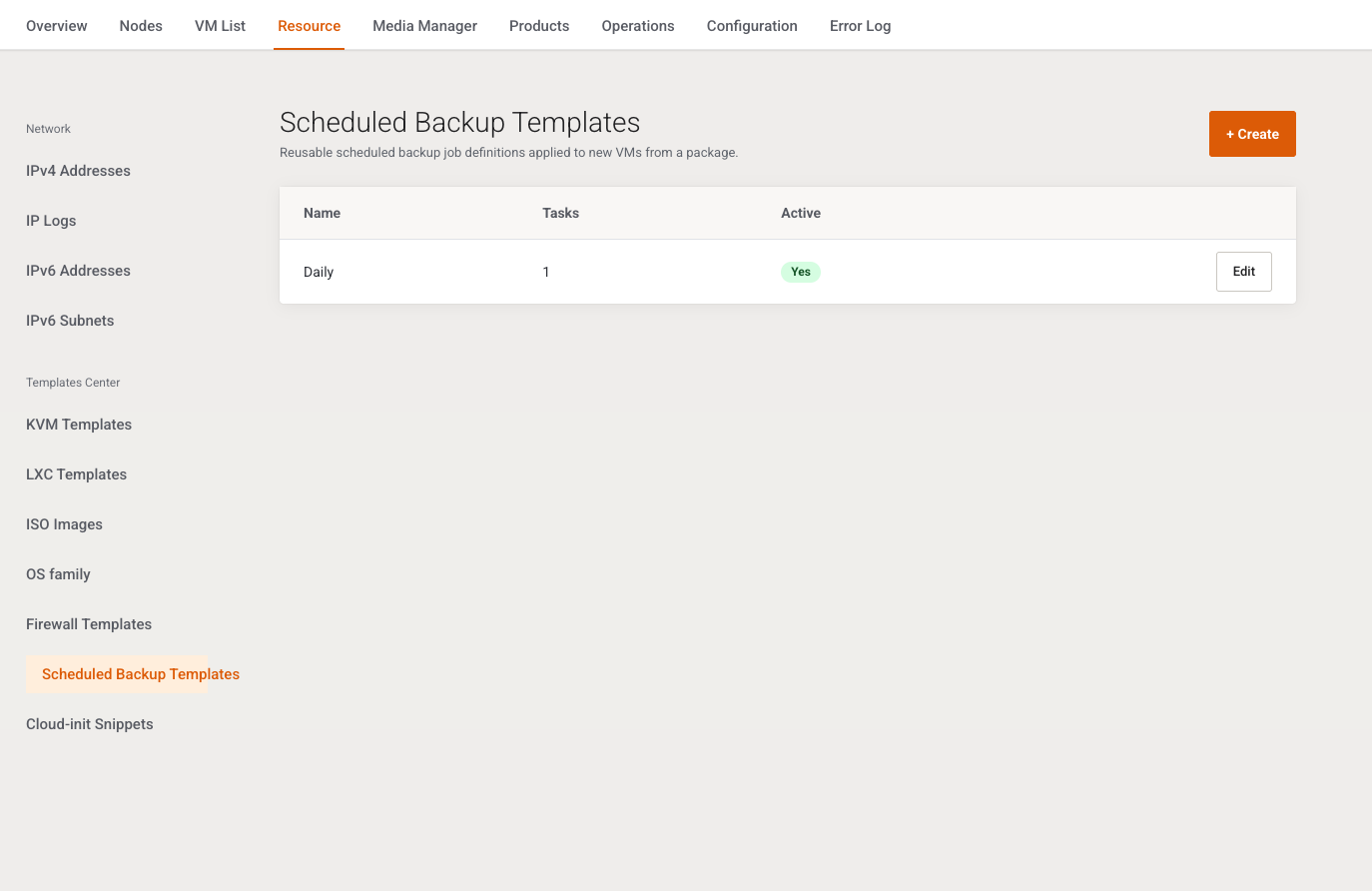
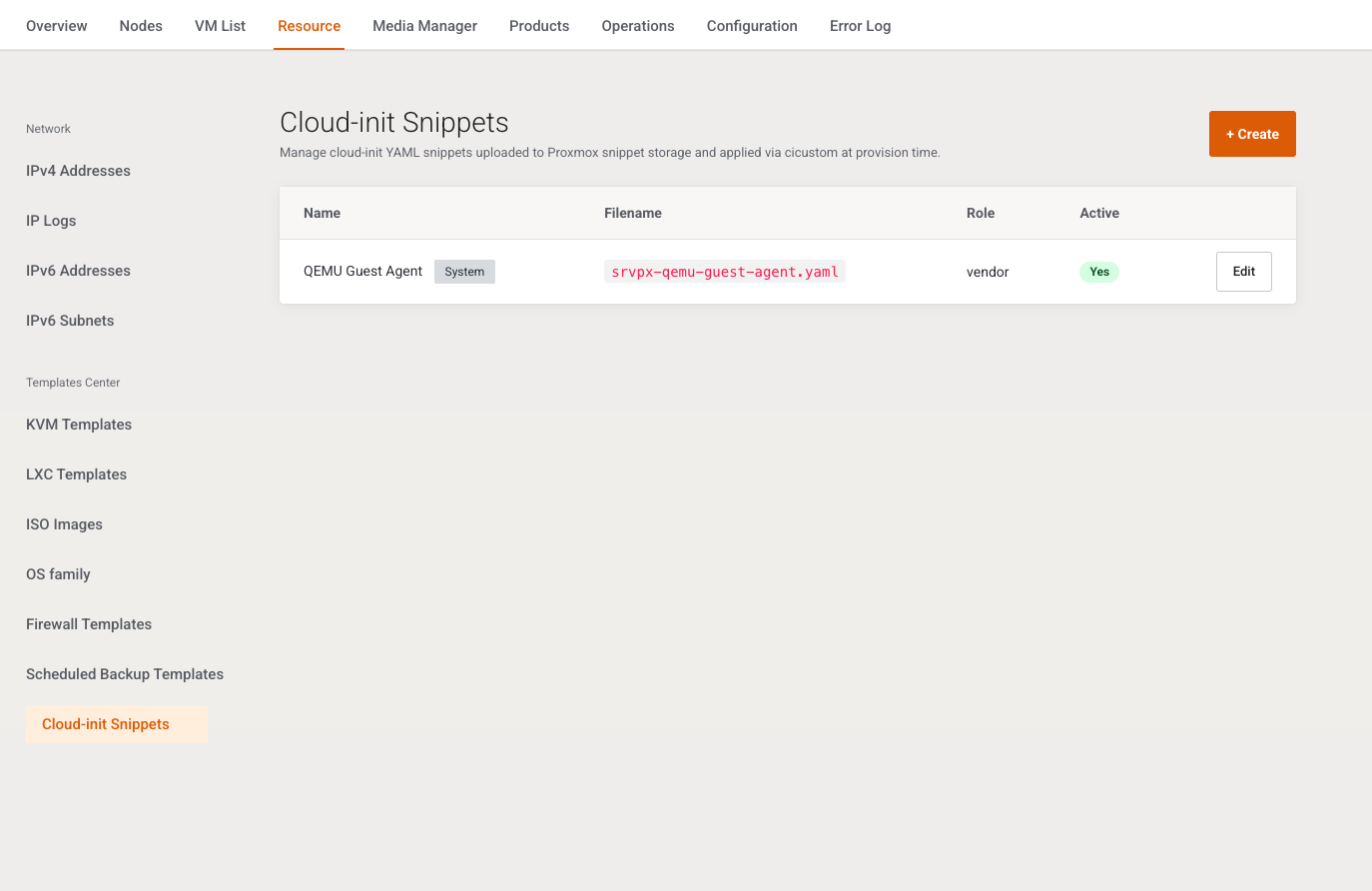
Standardize boot with KVM/LXC templates, ISO images, and Cloud-init snippets, then attach scheduled backup templates to daily policy. The media manager keeps the library searchable instead of scattered node folders.
Register cluster API connections, watch nodes/storages/bridges, and build distribution policies that define where a new guest lands before the first paid order.
When a service activates, a provision job reads the VM/Cloud plan and options, creates a KVM or LXC guest, and keeps state aligned with WHMCS.
Manage IPv4/IPv6 pools with gateway and mask, assign addresses to services, read logs on conflicts — and apply ready firewall templates.
Standardize boot with KVM/LXC templates, ISO images, OS families, and Cloud-init snippets from an organized, searchable media manager.
Attach scheduled backup templates to daily operations, and let jobs surface in history instead of relying on manual reminders across panels.
Define exactly what clients see: power, console, snapshots, backups, reinstall, and guest info — with a global ceiling and per-product narrowing.
Linked modules: Addon + Server
Full VM or container per plan
Sellable address pools
Configurable capability gates
Capability gates separate what is visible from what is allowed. Set a global ceiling in settings, then narrow per product package so your sales page matches what support can own every day.
Essential power actions for the guest, gated by the product. Expand later to shutdown, pause, and resume when support is ready.
Access through the built-in proxy (noVNC / xterm.js / SPICE when enabled) without exposing Proxmox cluster cookies to the client browser.
Allow reinstall from an approved ISO or template after the media library is ready, so clients never open a path support cannot fulfill.
Guest and billing info panels help customers understand their service without opening a ticket for every simple question.
Show service network details clearly: addresses, gateway, and the context customers need to configure their apps.
Enable backup or restore according to the backup template and package gate, with status tracked as an explicit job.
Allow snapshots when the product plan and storage budget can carry them, and give support a clear failure path.
Letting clients follow task status during provision or reinstall reduces support pressure during long-running jobs.
The Server Module follows WHMCS create, suspend, terminate, and upgrade paths, while the Addon Module is the admin console: clusters, packages, pools, Cron, and templates. Both share one schema and one language of domain objects.
Before you sell, prepare what provisioning consumes: addresses, network and firewall templates, boot media, and backups. This layer reduces first-order surprises.
Async jobs are the unit of work: provision, reinstall, terminate, and retry. Cron drains the queues, and Task History gives support and ops a shared language.
The console proxy is a local WebSocket tunnel that delivers the Client Area console to Proxmox without exposing cluster cookies directly to the browser. Configure host, port (often 8787), WSS, and the shared secret with the helper process.
An annual license for hosting providers covers both the Addon Module and the Server Module, with updates and support. Connect a cluster, build a sellable policy and package, and let provisioning follow the billing lifecycle.